
Teams · Support

Every ticket sorted, every answer sourced.

Agent Serve agents triage new tickets, find the policy that answers them, and draft the reply. A support agent approves it before it is sent.

Agent Serve, the AI workspace where teams build, deploy, and manage AI agents, gives support teams agents that triage tickets in Zendesk, Intercom or Jira Service Management, answer from synced knowledge bases with sources, and draft replies a person approves.

At a glance

Who answers customers, and what slows them.

Who it is for

Support leads, service agents and help center owners at software, commerce and service companies

The problem it removes

New tickets sit in one queue until someone sorts them. Agents search help articles, internal docs and old tickets in separate tabs, then type replies that drift from current policy.
What your team still controls

People decide

  • A support agent approves every reply before it is sent
  • Which help desks, inboxes and knowledge bases each agent may use
  • Which ticket fields an agent may change on its own
Day one

What you can run first

  • A knowledge base synced from the help center and internal docs
  • Chat answers with a link to each source
Later

What you add once it is trusted

  • A Relay that tags and routes each new ticket
  • Drafted replies checked against the knowledge base before review

Agents to build

Agents a support team runs every day.

Each agent is built in Agent Serve and works inside the help desk the team already uses.

Frontline support

Ticket triage on arrival

When a Zendesk ticket is created, an Agent Serve workflow tags product, urgency and customer tier and sets the priority.

  1. Ticket created
  2. Read and tagged
  3. Priority set
  4. Queue updated
Frontline support

Sourced reply drafts

An Agent Serve agent searches the knowledge base for the passage that answers the question and drafts a reply that cites it.

  1. Question read
  2. Policy found
  3. Reply drafted
  4. Agent approves
Escalations

Bug reports to engineering

An Agent Serve workflow turns a confirmed bug in Intercom or Zendesk into a Jira or Linear issue with the steps and the customer’s words.

  1. Bug confirmed
  2. Details gathered
  3. Issue created
  4. Ticket linked
Support operations

Weekly themes report

An Agent Serve Relay reads the week’s tickets, groups the top themes, and posts a summary to the team’s Slack channel.

  1. Weekly schedule
  2. Tickets read
  3. Themes grouped
  4. Posted to Slack
Frontline support

Help Scout conversations

An Agent Serve agent reads a Help Scout conversation, drafts the reply from the knowledge base and adds it as a note for an agent.

  1. Conversation in
  2. Answer found
  3. Note added
  4. Agent replies

Examples show what teams can build in Agent Serve. They describe patterns, not named customer deployments.

How it runs

From new ticket to a reviewed, cited reply.

Agent Serve sorts the ticket and writes the first draft. A support agent still decides what the customer receives.

  1. 1

    A ticket arrives

    A help desk trigger starts the workflow for each new ticket.

  2. 2

    It is triaged

    The workflow tags product, urgency and tier, and sets the priority.

  3. 3

    The answer is found

    A knowledge base search returns the passage, and a Hallucination Check tests the draft against it.

  4. 4

    A person approves

    The reply waits for a support agent, who edits or approves it.

Integrations

Works inside the help desk you already run.

Agent Serve connects to help desks, chat tools, issue trackers and the places your answers are written down.

Browse integrations

In each tool

What support agents can read and change.

Zendesk

Agent Serve reads, creates, updates and merges tickets, and starts work when a ticket is created or changes status.

Ticket created → triage starts

Intercom

Agent Serve reads and replies to conversations and creates tickets, starting when a conversation opens or a customer replies.

Conversation created → answer drafted

Jira Service Management

Agent Serve creates requests, adds comments and reads queues and SLAs, starting when a request is created or resolved.

Request created → routed

Where answers live

Agent Serve knowledge bases sync from Zendesk, Confluence, Notion, SharePoint or Google Drive on the schedule you choose.

Help center · resynced daily

Help Scout

Agent Serve reads, tags, assigns and replies to Help Scout conversations, and adds notes for the team.

Conversation → draft reply

In the workspace

The parts of Agent Serve support teams use.

  1. 01Knowledge bases

    Know the answer

    Knowledge bases hold the help center and policies, kept in sync.

  2. 02Workflows

    Triage and draft

    A workflow tags each ticket and drafts the reply for review.

  3. 03Chat

    Handle the hard ones

    Agents ask Chat about an account or a policy and get sources.

  4. 04Dashboards & BI

    Watch service levels

    A dashboard tracks response time and volume by queue.

In depth

Answers your team can check.

01 · Relays

A triage coworker that never skips the queue

An Agent Serve Relay watches an inbox or a workspace table, tags each new ticket and hands hard cases to a person.

02 · Approvals

A person signs off every reply

An Agent Serve Relay never emails a customer on its own. The agent sees the exact message and approves it.

03 · Chat

Help with the hard tickets

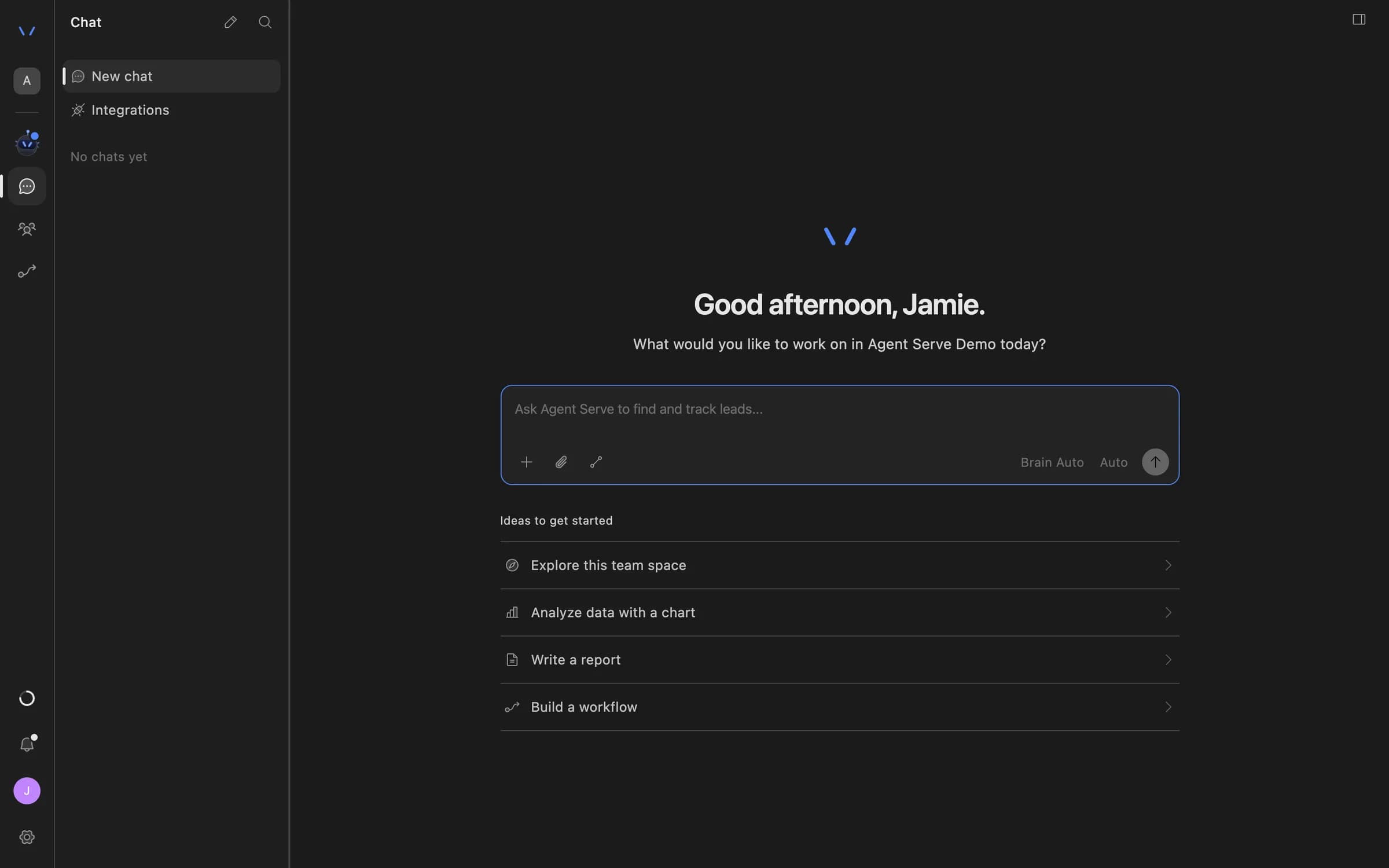
Support agents ask Agent Serve Chat about an account, attach the knowledge base with @, and get an answer with its sources.

Agent Serve Chat home with a message composer and suggestions to explore the team space, analyze data with a chart, write a report, or build a workflow.

Before and after

Less searching, more resolving.

Less searching, more resolving.
WorkBeforeWith Agent Serve
TriageBeforeA lead sorts the queue by hand each morning.With Agent ServeA workflow tags and prioritizes each ticket as it arrives.
Finding the answerBeforeHelp articles and old tickets in separate tabs.With Agent ServeA knowledge base search returns the passage and its source.
EscalationBeforeBugs retold in a chat message to engineering.With Agent ServeAn issue created with the steps and linked to the ticket.

Governance

Every reply has a reviewer and a source.

  • Answers checked against sources

    The Agent Serve Hallucination Check guardrail tests a drafted answer against the knowledge base before it moves on.

  • Approvals before action

    Relays never send email or book meetings without an approval, under any autonomy setting. An approval covers the exact payload the reviewer saw and expires if nobody decides.

  • PII detection

    A Guardrails block detects personal data and blocks or masks it before text reaches the next step.

  • Audit trail

    Proposals, approvals, declines and executed actions are written to the workspace audit log, which admins can export.

  • Run logs

    Every workflow run records each block’s inputs, outputs and errors, so a reviewer can trace how a result was reached.

Questions

About Agent Serve for support

Which help desks does Agent Serve connect to?

Agent Serve has integrations for Zendesk, Intercom, Jira Service Management, Zoho Desk and ServiceNow, among others in the integrations catalog.

Can an agent reply to customers on its own?

Only if you build it that way in a workflow. An Agent Serve Relay always needs a person to approve the exact email before it is sent.

How does the knowledge base stay current?

Agent Serve knowledge bases resync from their sources hourly, every 6 hours, daily, weekly or on demand.

Last updated

Enterprise access

Put AI agents to work across your team

Agent Serve is available to teams by invitation. Tell us what you want to build and we will set up your workspace with you.