Valnora & Elric · Spaces

Docs and whiteboards for teams and their agents.

One shared place for a team’s docs, whiteboards and databases. People edit together in real time, and agents work with the same permissions.

Spaces is a product from Valnora & Elric, built into Agent Serve, the AI workspace where teams build, deploy, and manage AI agents. Each Spaces doc switches between a page and a whiteboard. Teams edit together in real time, add database blocks that link to Agent Serve Tables, comment and mention each other, and restore earlier versions. Chat answers questions about a doc and suggests edits that people accept or reject.
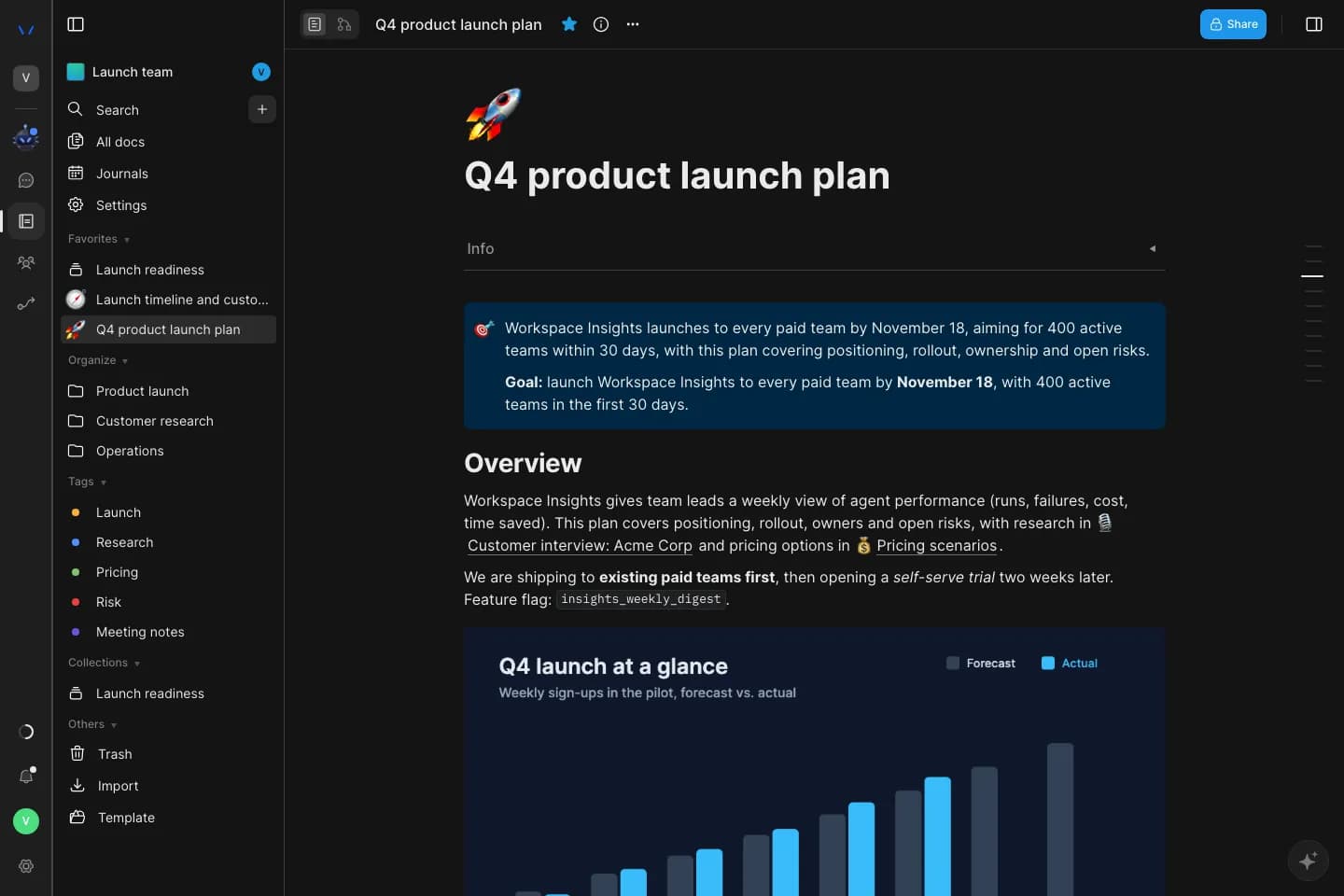
A Spaces doc in Agent Serve: the Q4 product launch plan with a goal callout, an overview and a forecast chart, beside a team space sidebar with favorites, folders, tags and collections.

Inside Spaces

One place for what your team knows.

Spaces keeps a team’s writing, sketches and structured data together. Screenshots show a demo team space with made-up names.

01 · Whiteboards

Switch the same doc to a whiteboard

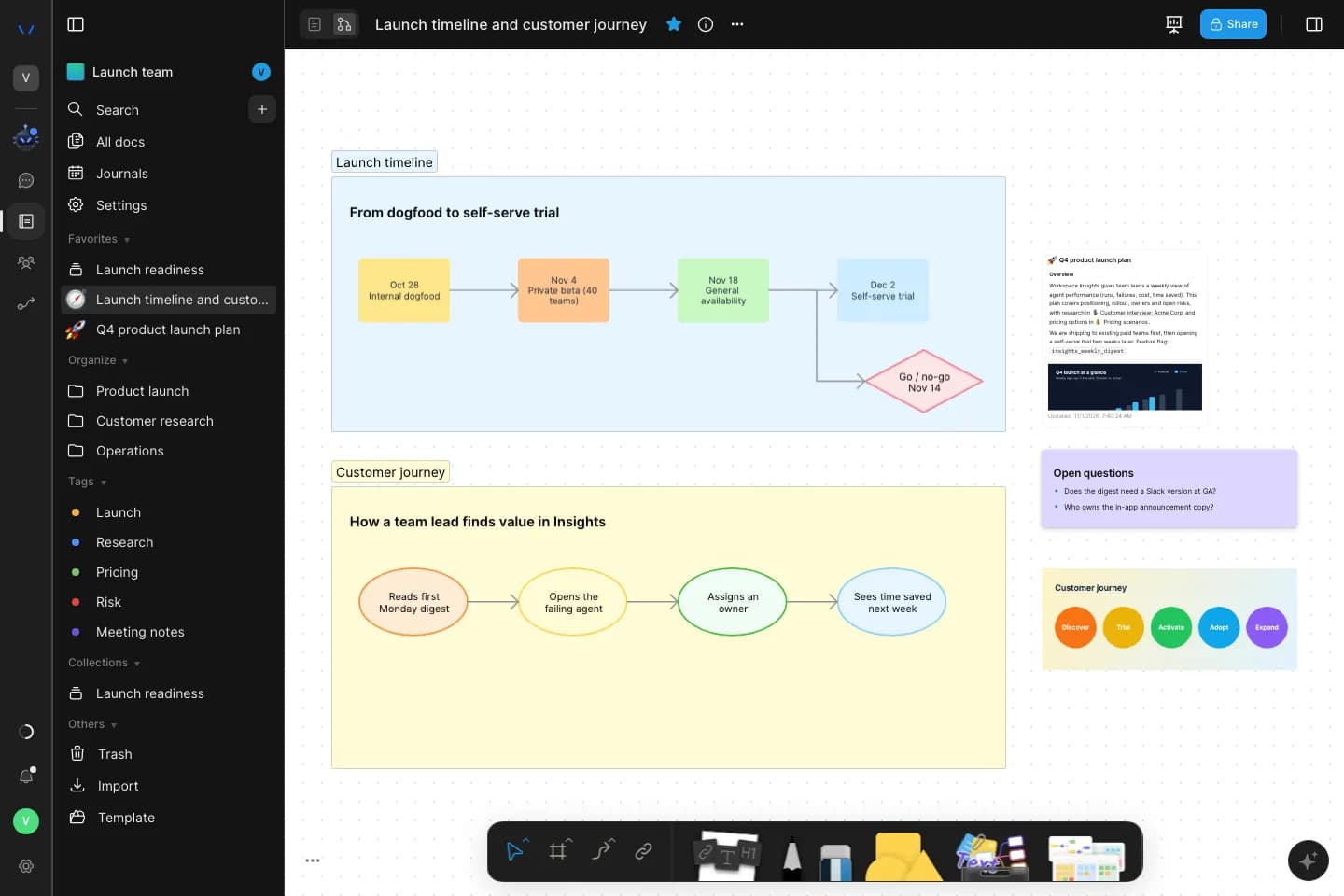
Turn any doc into a whiteboard to map a flow. Add notes, shapes, frames and connectors beside the team’s writing.

  • Notes, shapes, frames and connectors
  • Switch back to the page at any time
A Spaces doc in whiteboard mode: a launch timeline frame and a customer journey frame built from shapes and connectors, with a note card and an embedded doc beside them.
02 · Databases

Track work in a database block

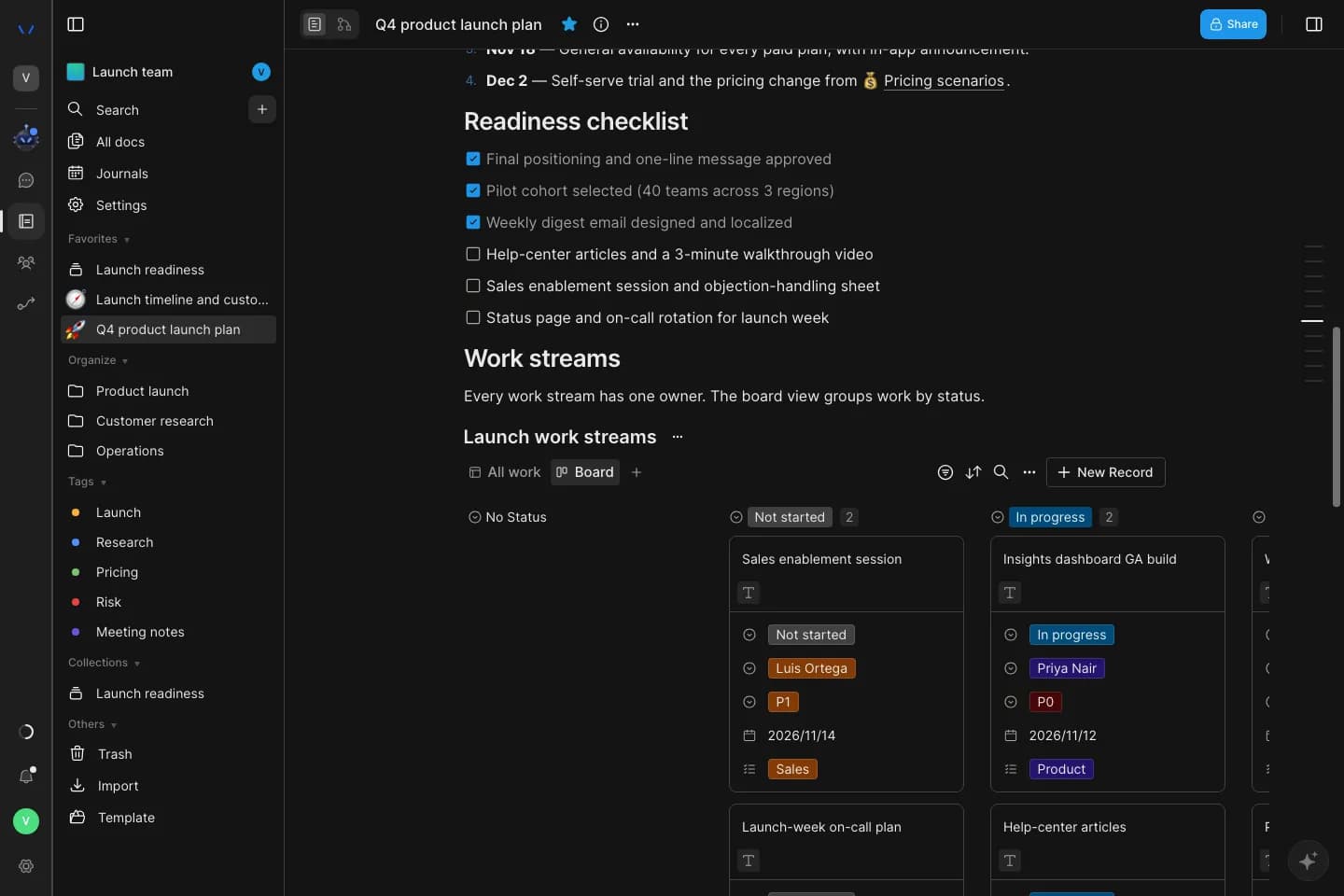
Add a database block to a doc and view it as a table or a kanban board, with owners, priorities, dates and status on every card.

  • Table and kanban views
  • Owners, priorities and dates on every card
A database block inside a Spaces doc, shown as a kanban board: launch work streams grouped into Not started and In progress, each card with an owner, priority, due date and team.

Spaces and Tables

One set of rows for docs and agents.

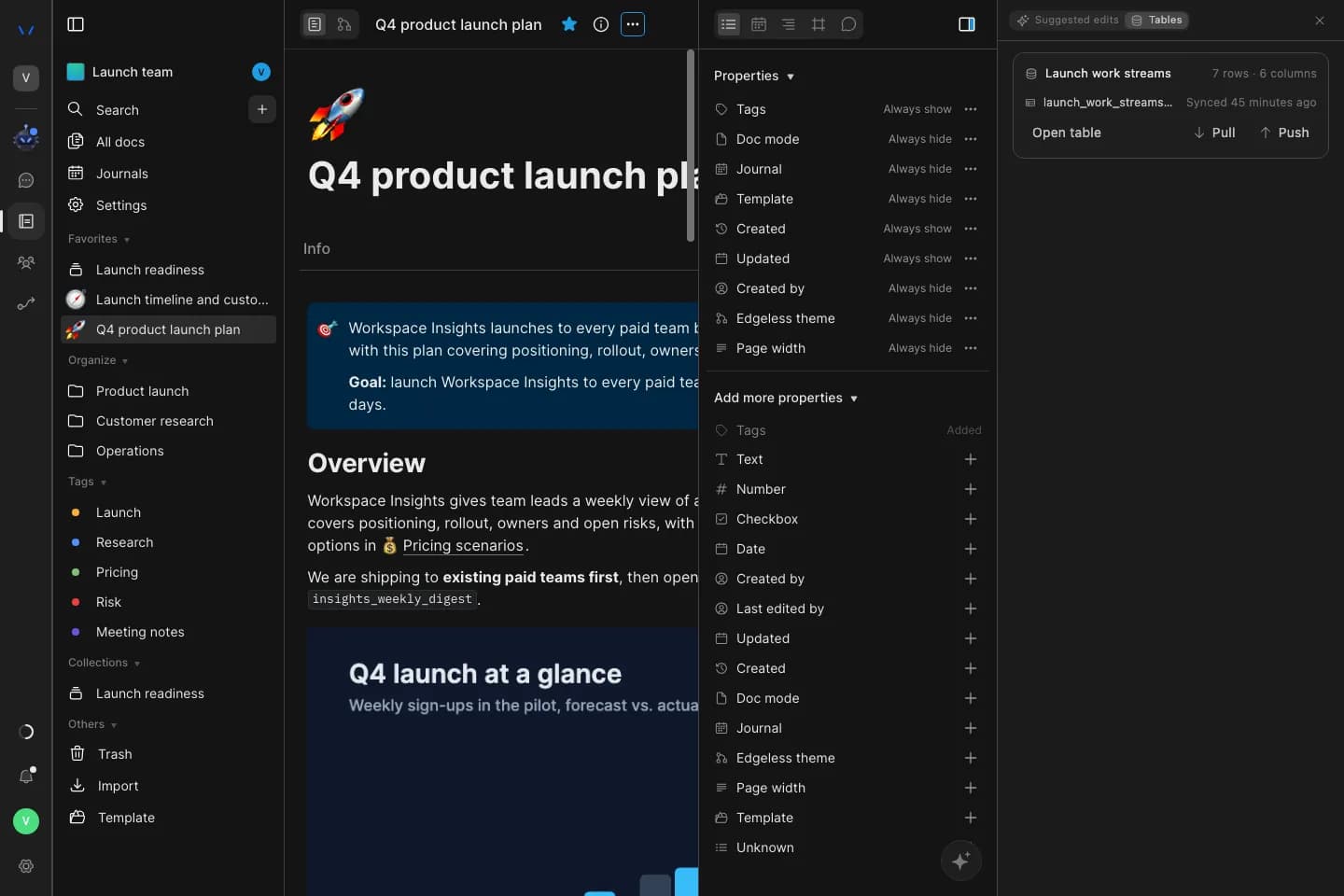
A database block linked to an Agent Serve table shares its rows with workflows and Relays. Pull their results back into the doc.

  • Link a block to an existing table or convert it into a new one
  • Workflow columns in Tables fill in rows the doc can pull back
  • Push edits made in the doc to the table

Chat in Spaces

Ask about a doc, review what Chat changes.

Chat in Agent Serve answers questions about the doc you are on. Changes it proposes wait for a person to accept or reject.

01 · Ask Chat

Ask Chat about this doc

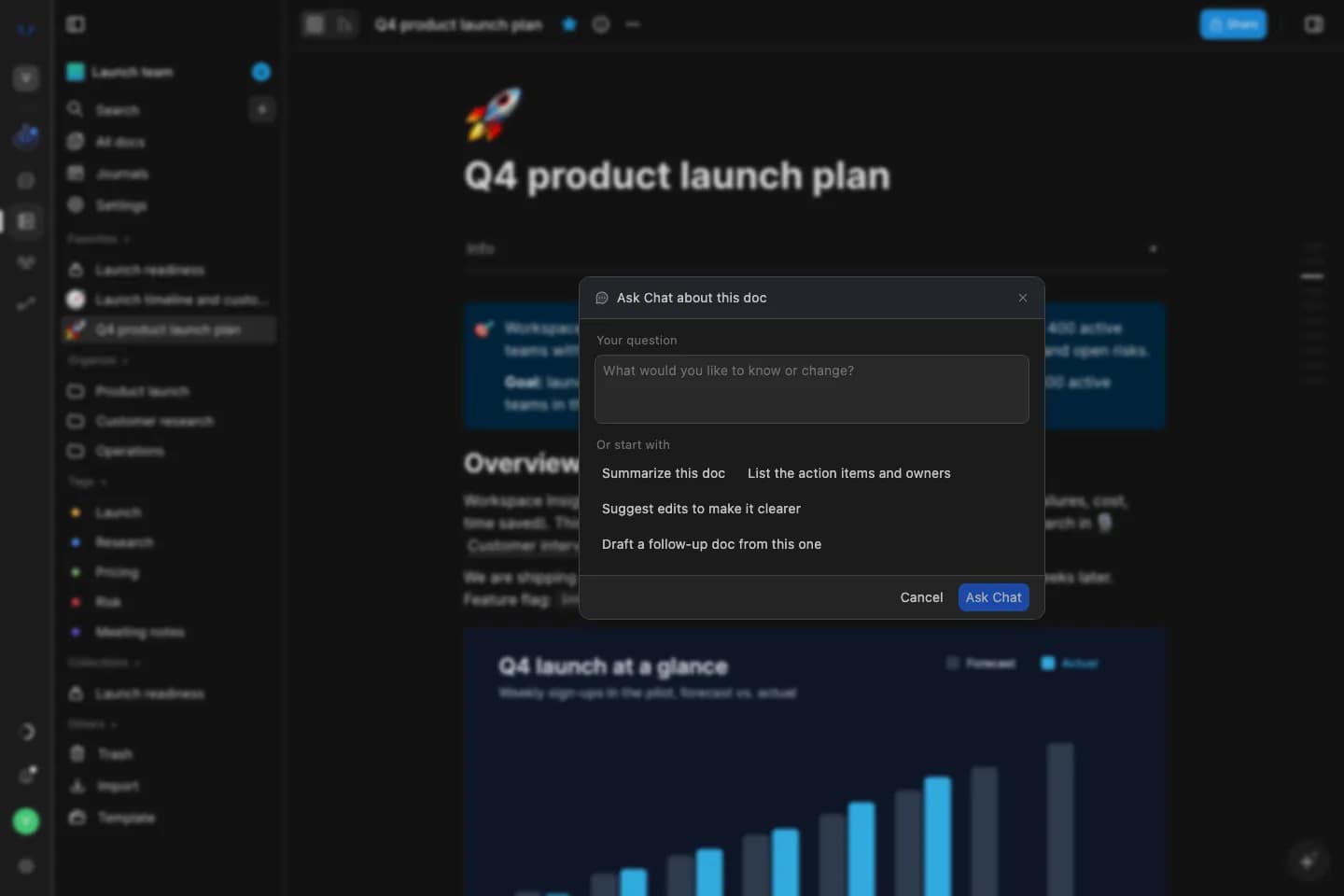
Ask a question about the doc, or start from a suggestion: summarize it, list the action items and owners, suggest clearer wording, or draft a follow-up doc.

Ask Chat about this doc, open over a Spaces doc, with starters to summarize the doc, list action items and owners, suggest edits, or draft a follow-up doc.
02 · Suggested edits

Accept or reject every edit

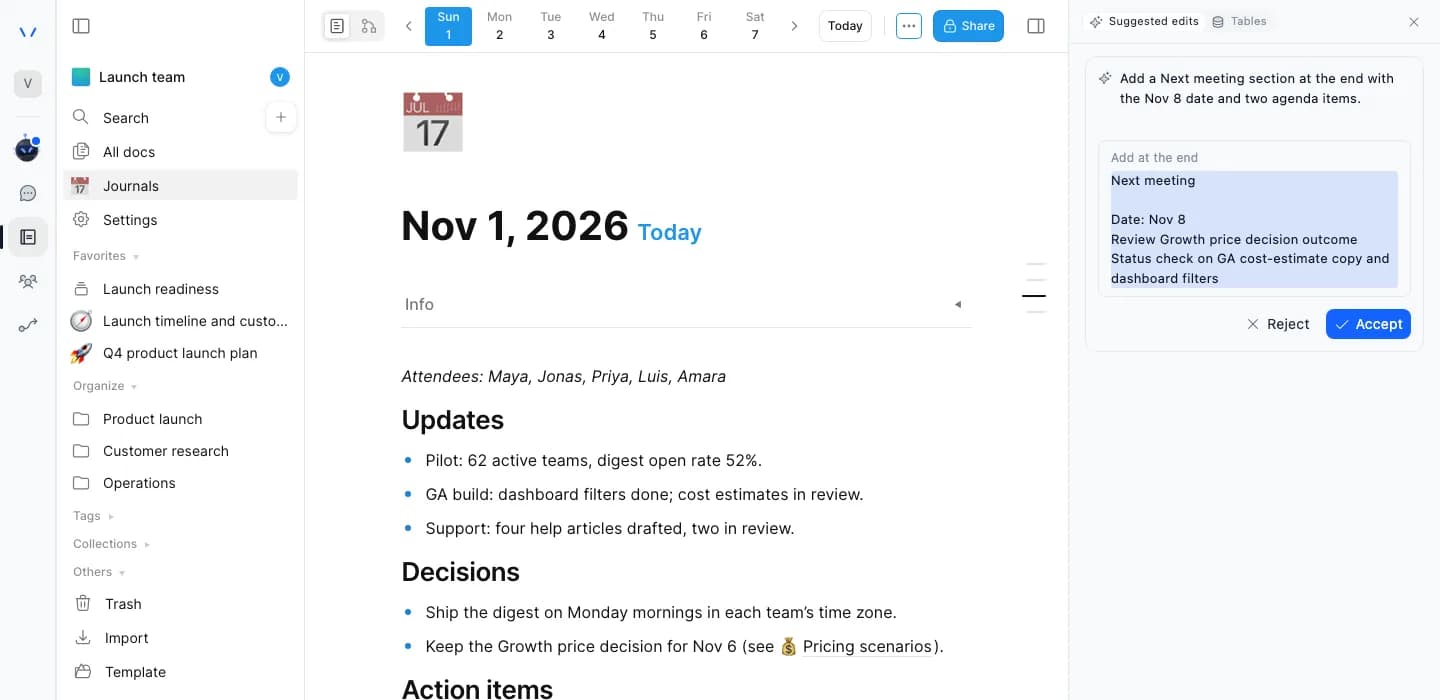
Edits from Chat wait in the Suggested edits panel with the exact text to add or change. Nothing changes in the doc until someone accepts it.

  • Accept or reject each edit
  • Agents act with the same permissions as people
A suggested edit from Chat on a Spaces meeting-notes journal: a Next meeting section to add at the end of the doc, waiting for Accept or Reject.

What ships

Team knowledge, kept in one place.

Real-time co-editing

Edit a Spaces doc together and see who else is on the page.

Presence · Live edits

Comments and mentions

Comment on any passage and @mention a teammate. The mention sends them a notification.

Threads · @mentions

Version history

Open any earlier version of a doc and restore it.

Versions · Restore

Team and personal spaces

A shared space for each team and a private space for each person.

Team pages · Drafts

Organize your docs

Folders, tags, collections and favorites, plus a journal page for each day.

Folders · Tags · Journals

Search

Find docs, tags and collections across a space as you type.

Docs · Tags · Collections

Templates

Save any doc as a template and start new docs from the ones your team keeps.

Briefs · Interviews · Runbooks

Import and export

Import Markdown and HTML. Export a doc as Markdown, HTML, PNG or PDF.

Markdown · HTML · PNG · PDF

Find and share

Find any doc, share it with care.

01 · All docs

Every doc in the space, at a glance

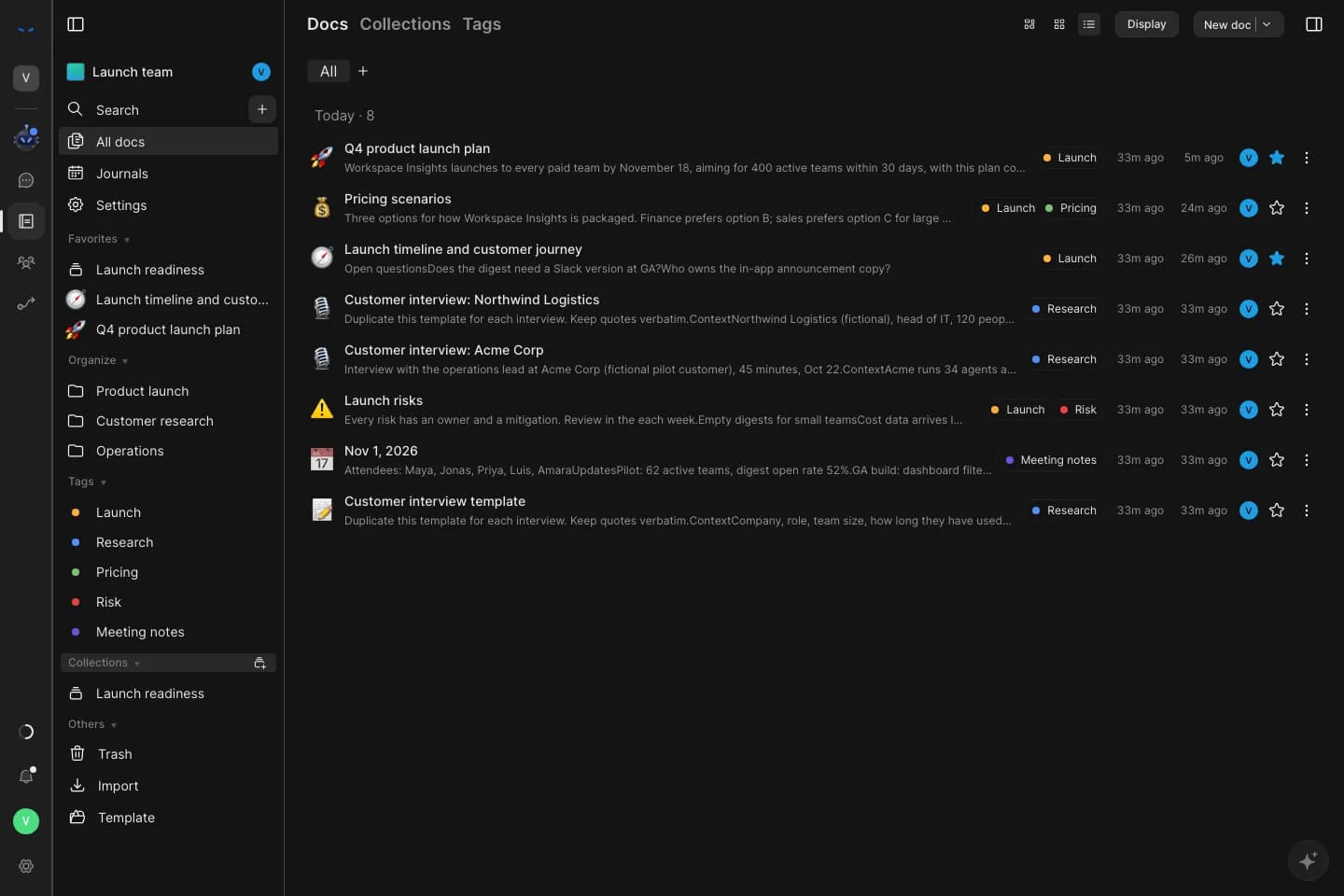
See every doc in a space with its tags, when it was last edited and whether it is a favorite. Switch to collections or tags in one click.

All docs in a Spaces team space: plans, interviews, risks, a journal and a template, each with tags, edit times and favorites.
02 · Search

Search the whole space

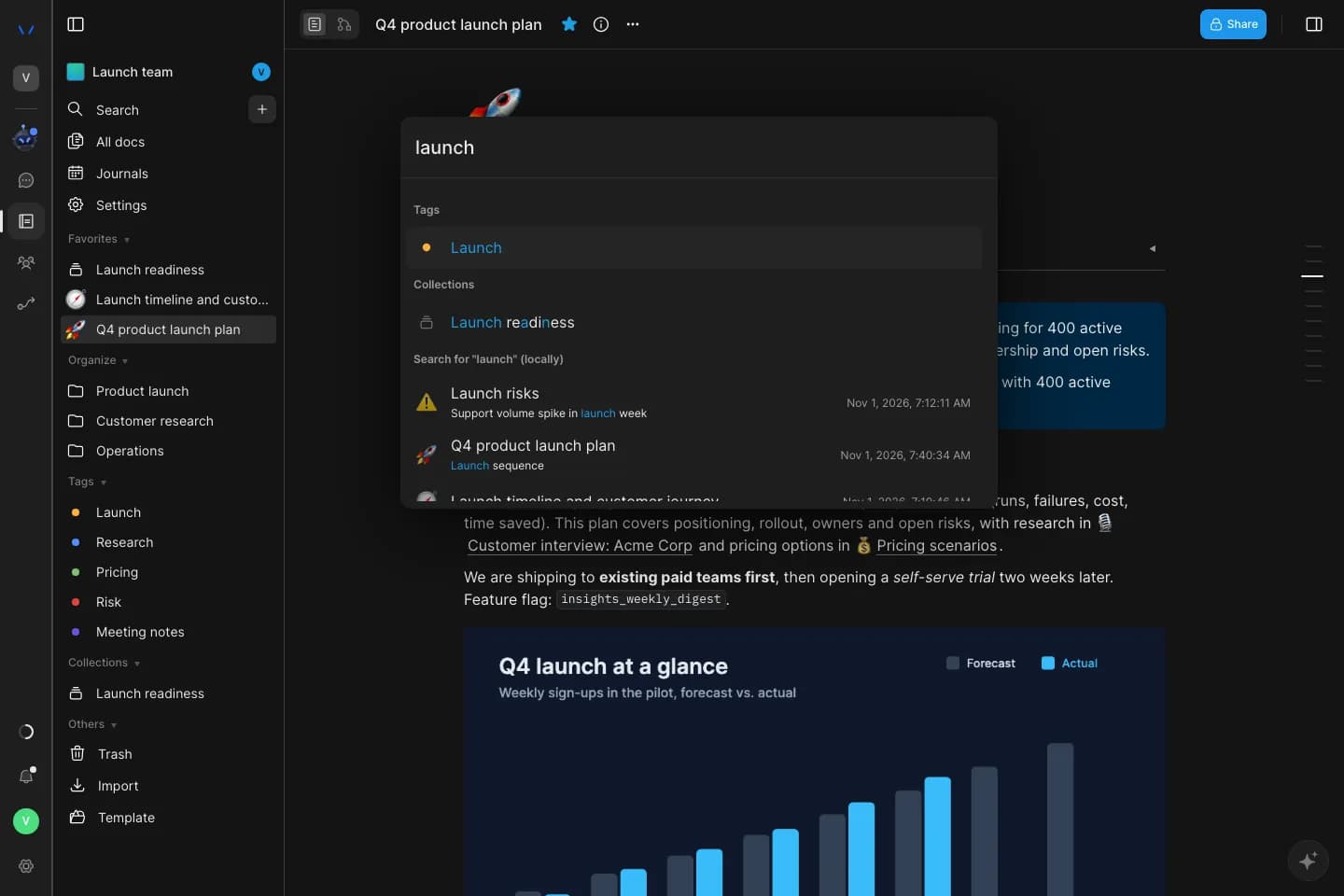
Search matches tags, collections and the text inside docs, and highlights where the words appear.

Search in Spaces for the word launch, returning a matching tag, a collection and docs with the matching text highlighted.
03 · Sharing

Share with roles and links

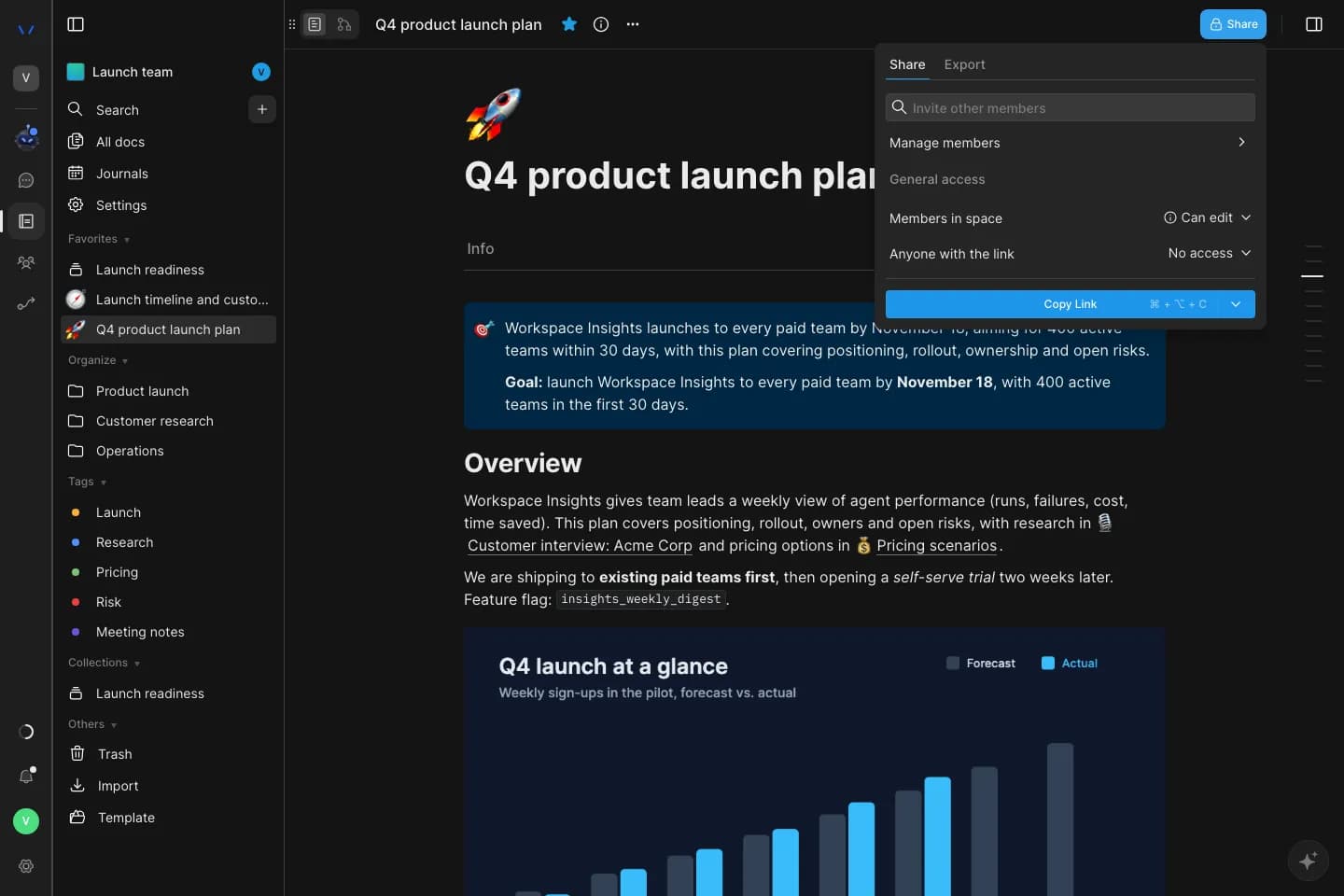
Set who can view or edit each doc, share a workspace link, or publish a public link that can expire and allow downloads. Admins can turn publishing to the web off.

  • Per-doc roles and workspace links
  • Embeds only from sources an admin allows
The Share menu on a Spaces doc: invite members, manage members, set access for members in the space and for anyone with the link, and copy the link.

Examples

What teams keep in Spaces.

Three examples in financial services, built from what Spaces does today.

Banking

Regulatory change plan

A team keeps the change plan, the process map and the task tracker in one Spaces team space, with sign-in and roles from Agent Serve.

  1. Plan drafted
  2. Process mapped
  3. Tasks tracked
  4. Owners assigned
Insurance

New product launch

A product team writes the brief, maps the customer journey on a whiteboard and tracks launch tasks on a kanban board, with Chat suggesting the next steps.

  1. Brief written
  2. Journey mapped
  3. Edits suggested
  4. Team accepts
Wealth

Client onboarding runbook

An operations team keeps the onboarding runbook and its diagram in Spaces, with open cases in a database block linked to an Agent Serve table.

  1. Runbook written
  2. Steps diagrammed
  3. Cases linked
  4. Gaps reviewed

Examples show what teams can build in Agent Serve. They describe patterns, not named customer deployments.

At a glance

What Spaces includes.

What Spaces includes.
AccessAvailable by invitation, inside Agent Serve.
Docs and whiteboardsEvery doc switches between a page and a whiteboard with notes, shapes, frames and connectors.
DatabasesDatabase blocks with table and kanban views that link to or convert into Agent Serve Tables.
CollaborationReal-time co-editing with presence, comments with @mentions that notify, and version history with restore.
OrganizationTeam and personal spaces, folders, tags, collections, favorites, journals and search.
Templates, import and exportSave and start from templates. Import Markdown and HTML; export Markdown, HTML, PNG or PDF.
SharingPer-doc roles, workspace links and public links with optional expiry and downloads. Admins can turn publishing to the web off, and embeds come only from an admin allowlist.
AgentsAsk Chat about a doc. Chat suggests edits that people accept or reject, and agents act with the same permissions as people.

Works with Agent Serve

Spaces and the rest of the workspace.

Questions

About Spaces

How do teams get Spaces?

Spaces is part of Agent Serve and available by invitation. Request access and choose Spaces.

Can a Spaces database block work with Agent Serve Tables?

Yes. Link a database block to an Agent Serve table or convert it into one, then pull and push changes between them.

Do agents change docs on their own?

No. Agents in Spaces work with the same permissions as people. When Chat suggests an edit, the doc changes only after someone accepts it.

Can admins control what is shared outside the workspace?

Yes. Only docs someone chooses to publish leave the workspace, and a workspace admin can turn publishing off, which takes every public page offline until it is turned back on. Embeds load only from sources on the admin allowlist.

Last updated

Enterprise access

Put AI agents to work across your team

Agent Serve is available to teams by invitation. Tell us what you want to build and we will set up your workspace with you.