Use case · Performance marketing

Ad spend watched, every change approved.

Monitors track pacing across Meta and Google Ads, a Relay recommends what to change, and budget changes wait for the growth lead.

An illustrative performance marketing use case for Agent Serve, the AI workspace where teams build, deploy, and manage AI agents: Google Ads reports, Meta ads through Tool connections, pacing monitors, creative fatigue rules and an ad performance Relay.

At a glance

Who runs paid media, and what slips past.

Who it is for

Growth leads, performance marketers and media buyers at brands and app businesses

The problem it removes

Spend is checked in each ad platform once a day, if there is time. A campaign that overpaces by lunch is noticed the next morning, and a creative that stopped working keeps spending until someone reads the numbers.
What your team still controls

People decide

  • A person approves every budget, bid or status change
  • Pacing targets, fatigue rules and alert thresholds
  • Which ad accounts and Tool connections each Relay may use
Day one

What you can run first

  • Google Ads campaign reports written to a performance table
  • Meta ads insights in Chat through Tool connections
  • A pacing dashboard with a monitor on daily spend
Later

What you add once it is trusted

  • Rules that flag creatives showing fatigue
  • An ad performance Relay that drafts the daily review
  • Delegated limits for small budget moves inside a cap

Step by step

One overpacing campaign, caught by noon.

  1. 01

    The numbers land

    Spend, revenue and ROAS from both platforms arrive in one table and one dashboard.

  2. 02

    The Relay recommends

    The ad performance Relay reads the alert, checks the campaign and drafts a budget change with its reason.

  3. 03

    The growth lead decides

    The budget change waits as an approval and runs exactly once after a yes.

How it fits together

From ad platforms to an approved change.

  1. 01Integrations

    Read the platforms

    The Google Ads block reads campaign and ad performance, and Meta’s ads server connects under Tool connections.

  2. 02Dashboards & BI

    Show pacing

    A pacing dashboard compares spend to plan by campaign, channel and day.

  3. 03Monitors & alerts

    Catch overspend

    A monitor re-checks daily spend against plan as often as every 5 minutes.

  4. 04Rules

    Flag tired creatives

    A plain-language rule marks ads whose click-through falls while frequency climbs.

  5. 05Relays

    Recommend the move

    The ad performance Relay drafts the change and waits for approval before it spends.

How it runs

From pacing alert to an approved budget move.

Agent Serve reads the ad platforms and drafts the change, and nothing that spends money runs until a person approves it.

  1. 1

    The reports are pulled

    A scheduled workflow reads Google Ads campaign performance into a table. The Google Ads block is read only.

  2. 2

    Pacing crosses the line

    A monitor on daily spend raises a warning when a campaign runs ahead of plan.

  3. 3

    The Relay checks Meta

    The Relay reads campaign insights through Meta’s ads server, connected under Tool connections and on its allowlist.

  4. 4

    A budget change waits

    The Relay classes the change as spend, so it waits for approval unless it fits a delegated limit.

What to measure

How a growth team might measure the change.

Example figures for a team running Meta and Google Ads across a few dozen campaigns.

Illustrative

−60%

Daily reporting time

Both platforms in one table and one dashboard.

Illustrative

−30%

Overspend against plan

Pacing alerts arrive the same morning.

Illustrative

2 days

Earlier fatigue warnings

Tired creatives flagged before results drop far.

Illustrative

0

Unapproved budget changes

Every spend change has a reviewer.

Illustrative example. Figures show how the workflow is measured; they are not customer results.

In depth

What the growth team works with.

Agent Serve puts the pacing dashboard, the Relay, its spending rules and the follow-up question in one workspace.

01 · Dashboards

Pacing across both platforms

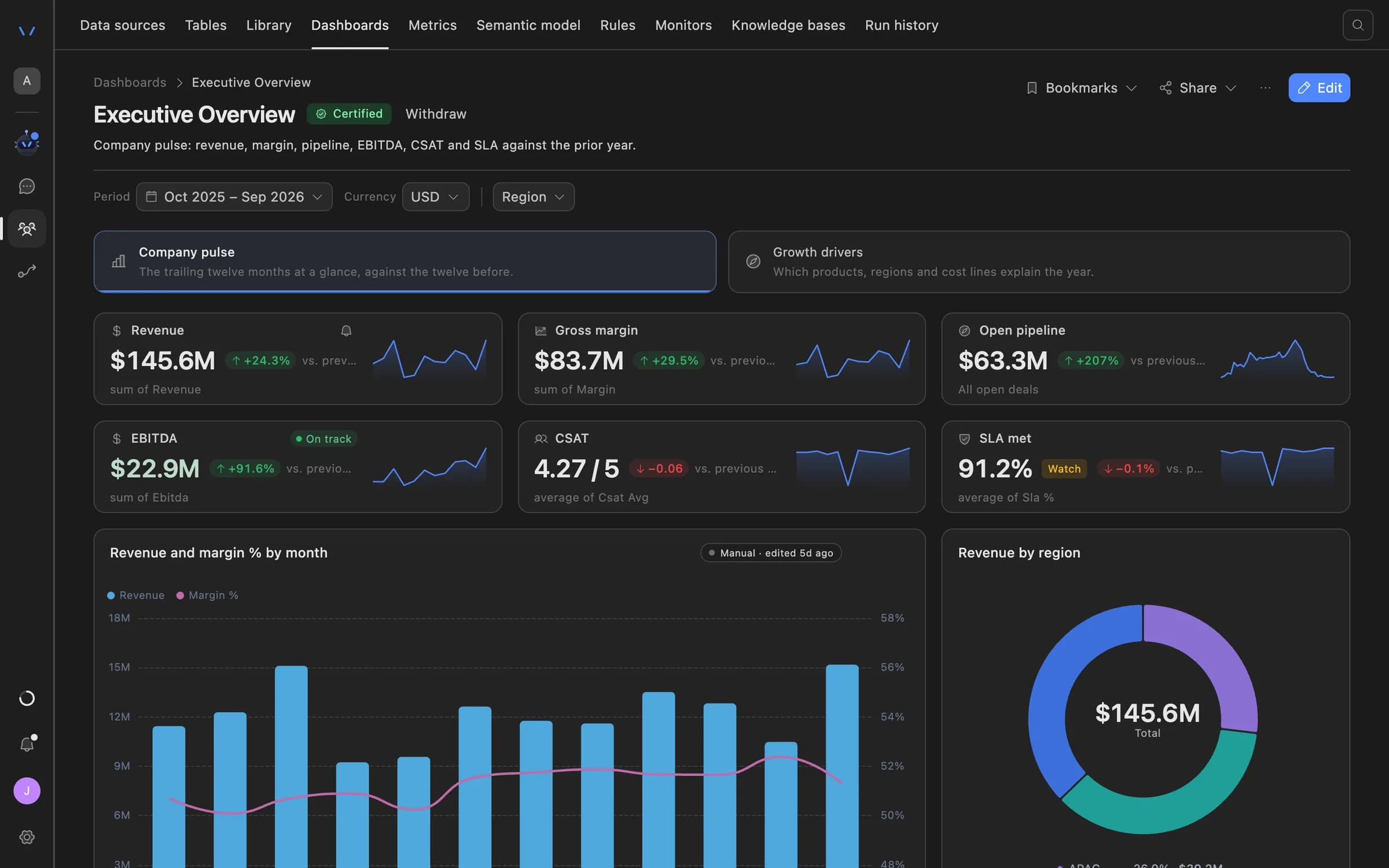
The Agent Serve pacing dashboard reads one performance table, so spend, revenue and ROAS mean the same thing in every panel.

  • Named metrics for spend, revenue and ROAS
  • Compare with the previous period
  • A daily PDF or link to the growth lead
Agent Serve dashboard showing an executive overview: revenue, gross margin, open pipeline, EBITDA, CSAT and SLA tiles with trend lines, a monthly revenue and margin chart, and revenue by region.
02 · Relays

Spend always asks first

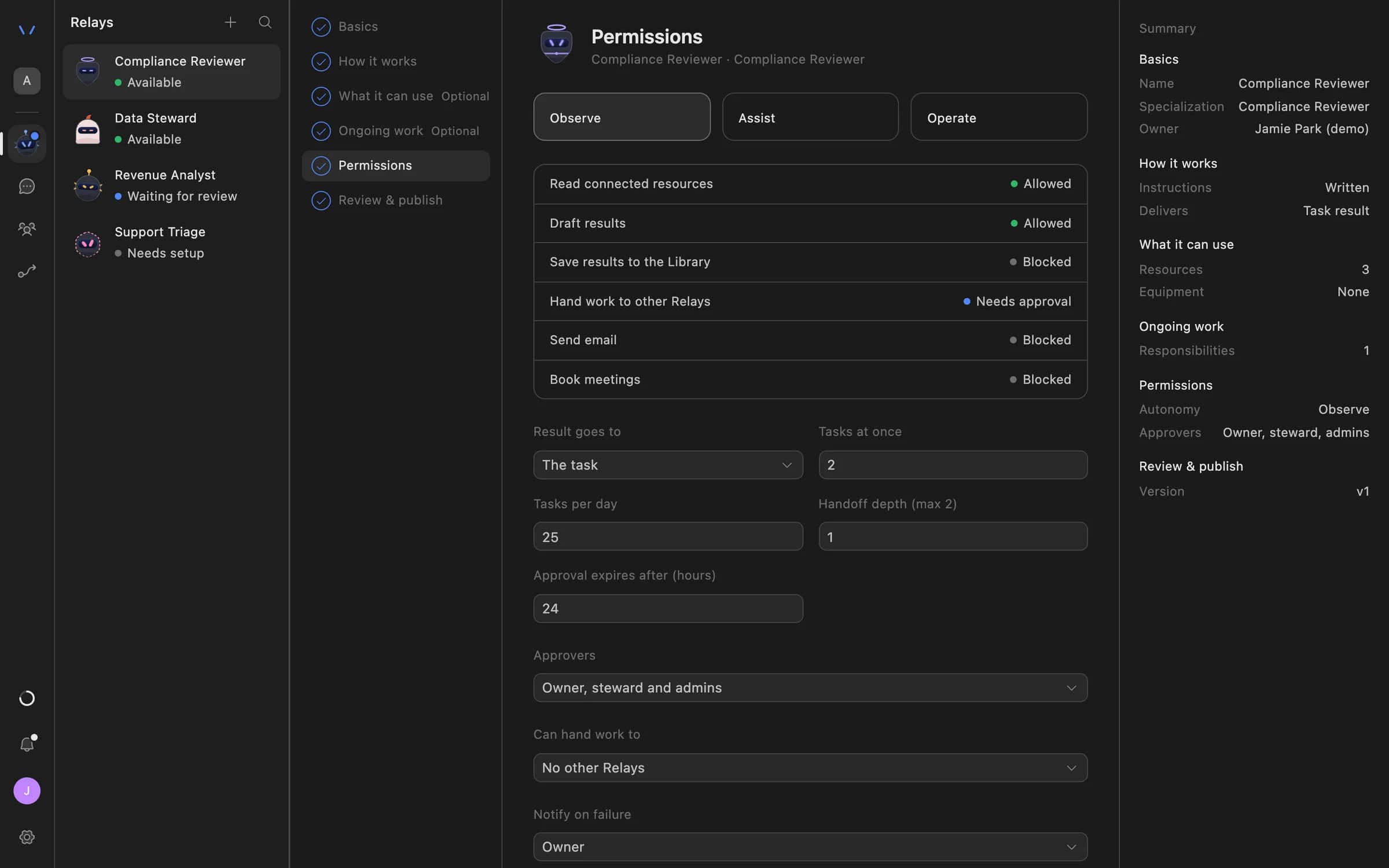
An Agent Serve Relay classes every call as a read, write, destructive or spend. Reads run; spend waits for approval.

  • Delegated limits per action, per day and per week
  • Paper mode simulates money-moving calls
  • A kill switch pauses the Relay or its team
Relay setup in Agent Serve on the Permissions step: Observe, Assist and Operate autonomy levels, each action marked Allowed, Needs approval or Blocked, daily task limits, approval expiry and who can approve.
03 · Approvals

The exact change, before it runs

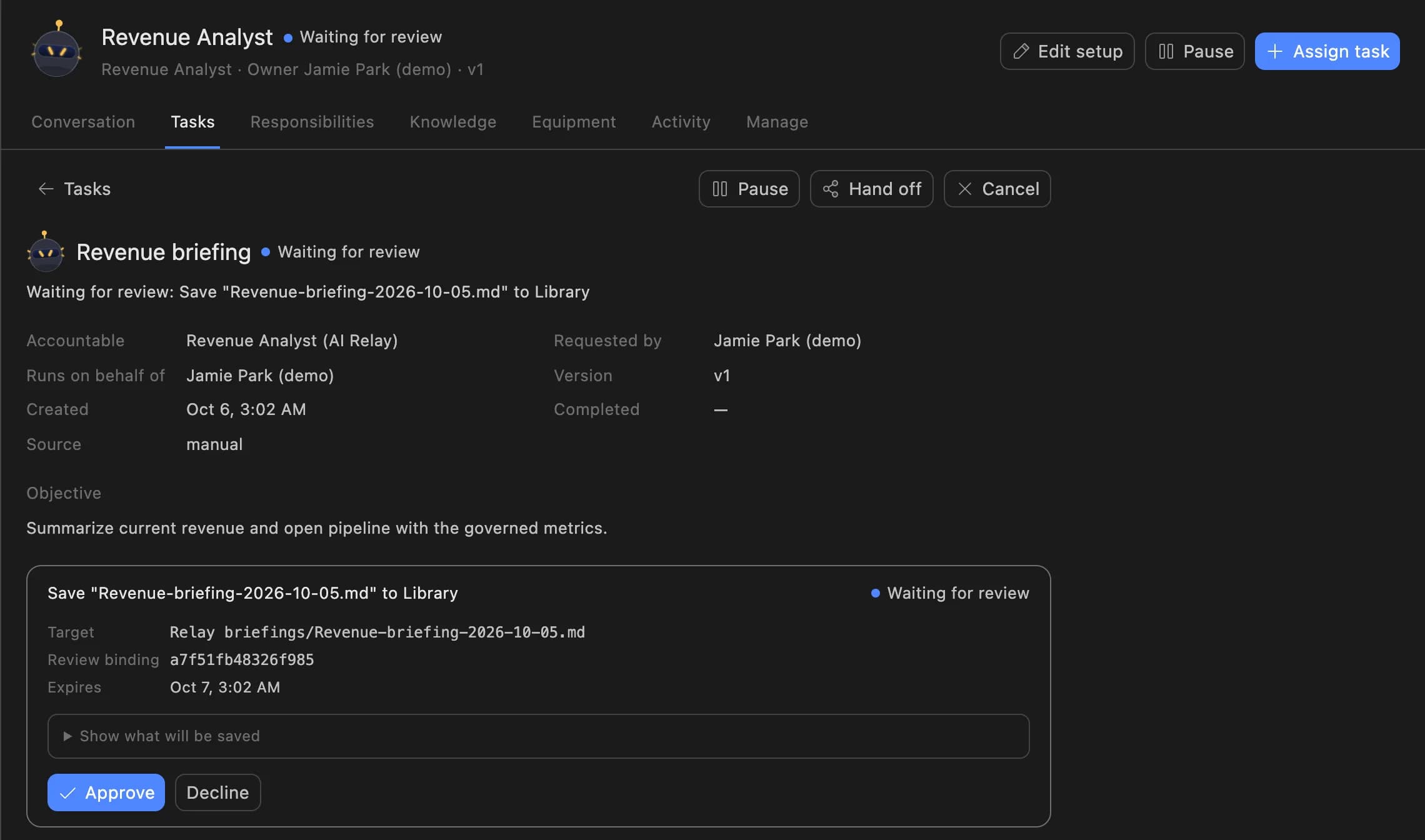
The growth lead sees the campaign, the new budget and the reason the Agent Serve Relay gave, then approves or declines.

A Relay task in Agent Serve waiting for review: the Revenue Analyst asks to save a revenue briefing to the Library, with Approve and Decline buttons.
04 · Chat

Ask why ROAS moved

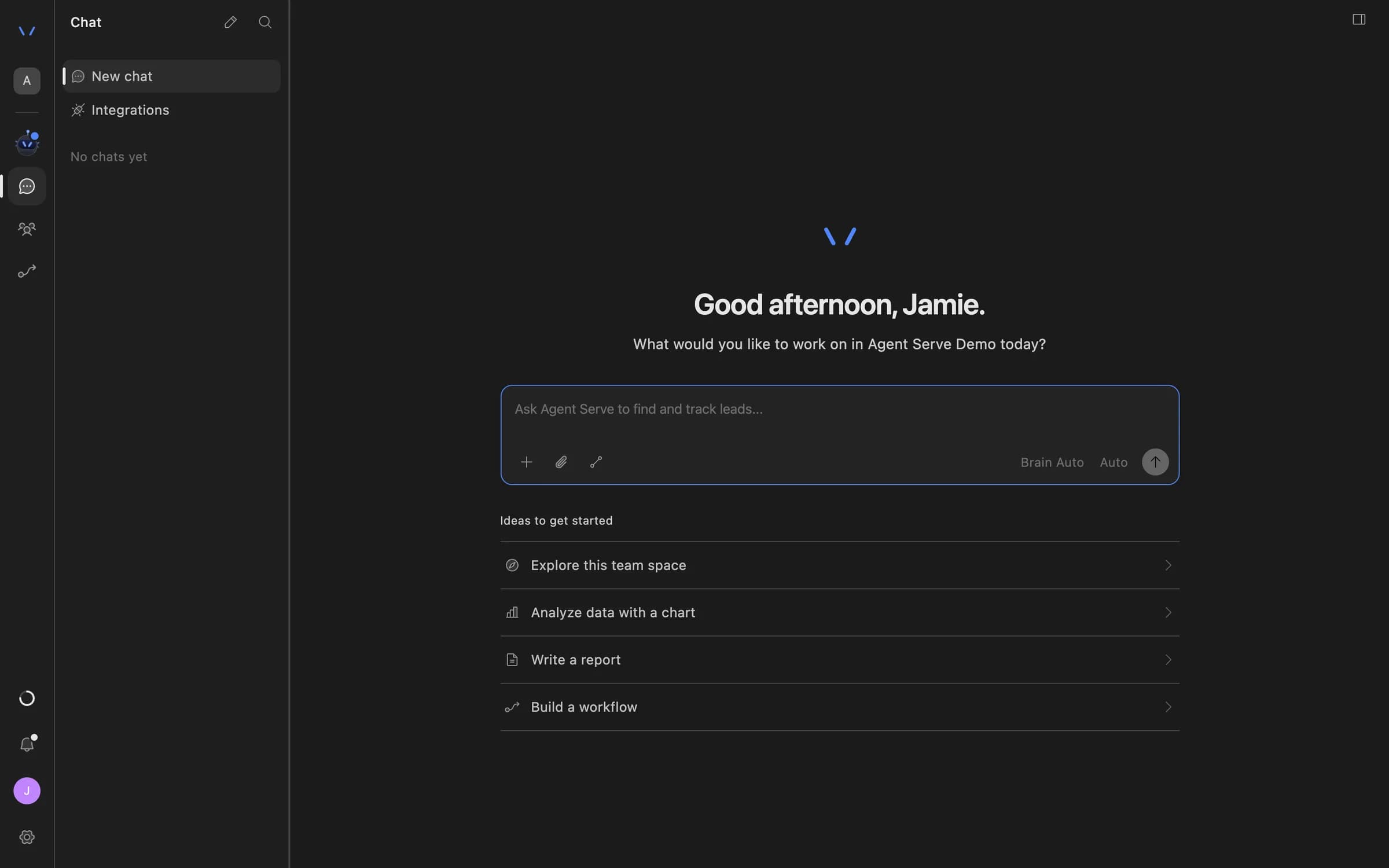
Marketers ask Agent Serve Chat about a campaign, read Meta insights through Tool connections, and get a chart back.

Agent Serve Chat home with a message composer and suggestions to explore the team space, analyze data with a chart, write a report, or build a workflow.

Examples

Paid media across three kinds of team.

Three growth teams running paid media reviews on Agent Serve, each with a person approving anything that spends.

Direct to consumer · Growth

Daily pacing review

An Agent Serve monitor watches spend against plan, and a Relay drafts the morning note with the campaigns to adjust.

  1. Reports pulled
  2. Pacing checked
  3. Note drafted
  4. Lead approves
Subscription app · Acquisition

Creative fatigue watch

An Agent Serve rule flags ads whose click-through falls for three days while frequency rises, and lists them for the creative team.

  1. Ad metrics in
  2. Rule flags
  3. List shared
  4. New creative briefed
Marketplace · Performance

Budget moves within a cap

An Agent Serve Relay with delegated limits shifts small amounts between campaigns, and anything above the cap waits for approval.

  1. Alert
  2. Change drafted
  3. Limit checked
  4. Run or approve

Examples show what teams can build in Agent Serve. They describe patterns, not named customer deployments.

Before and after

Less exporting, more deciding.

Less exporting, more deciding.
WorkBeforeWith Agent Serve
Daily numbersBeforeExported from each ad platform into a spreadsheet.With Agent ServeWritten to one table and read by one dashboard.
OverspendBeforeNoticed in the next morning’s check.With Agent ServeA monitor raises an alert as pacing crosses plan.
Creative fatigueBeforeSpotted when results have already fallen.With Agent ServeA rule flags the trend while there is time to swap.
Budget changesBeforeMade in the ad platform with no record of why.With Agent ServeDrafted with a reason, approved, run once and audited.

Governance

Every spend change has an owner.

Agent Serve keeps reads automatic and holds anything that spends money for a named person, unless it fits limits you set.

Security and governance
  • Spend calls wait

    Agent Serve Relays hold budget changes and new spend for approval unless the call fits inside delegated limits.

  • Allowlisted connections only

    An Agent Serve Relay can use only the integrations and Tool connections on its allowlist.

  • Approvals before action

    Relays never send email or book meetings without an approval, under any autonomy setting. An approval covers the exact payload the reviewer saw and expires if nobody decides.

  • Audit trail

    Proposals, approvals, declines and executed actions are written to the workspace audit log, which admins can export.

  • Roles and permission groups

    Admin, write and read roles per workspace, plus permission groups that limit which models, blocks and integrations a team can use.

  • Run logs

    Every workflow run records each block’s inputs, outputs and errors, so a reviewer can trace how a result was reached.

  • Bring your own keys

    Use your organisation’s own model provider keys at organisation or workspace level.

Further reading

Solutions built for paid media teams.

Questions

About this use case

How does Agent Serve connect to Meta ads?

There is no built-in Meta block. You add Meta’s official ads server under Settings → Tool connections, a standard way for AI agents to use another product’s tools. Chat and allowlisted Relays can then read insights and draft campaigns.

Can Agent Serve change Google Ads budgets?

No. The Agent Serve Google Ads block is read only: campaigns, ad groups, ad performance and custom queries. Budget, bid and status changes stay in Google Ads.

Can the Relay move budget on its own?

Only inside delegated limits you set per action, per day and per week. Outside them, an Agent Serve Relay holds every spend change for approval.

Are the figures on this page real results?

No. The figures are illustrative examples of what a growth team might measure with Agent Serve, not customer results.

Last updated

Enterprise access

Put AI agents to work across your team

Agent Serve is available to teams by invitation. Tell us what you want to build and we will set up your workspace with you.