Use case · Creative production

Product photos to ads, reviewed before use.

Turn product photos into UGC-style images and short video ads in Chat. Every file is saved with its prompt, and the brand team approves it.

An illustrative creative production use case for Agent Serve, the AI workspace where teams build, deploy, and manage AI agents: image and video generation in Chat, media models pinned per chat, cost confirmations, Library provenance and a brand review workflow.

At a glance

Who makes the ads, and what slows them.

Who it is for

Creative leads, designers and performance marketers at brands and agencies

The problem it removes

Each new ad needs a shoot or a designer’s afternoon. Teams that try AI image and video tools end up with files in separate accounts, no record of the prompt or the cost, and no clear point where the brand team signs off.
What your team still controls

People decide

  • A brand reviewer approves every asset before it is used
  • Which media models the team may use, and the default ones
  • The cost above which a generation asks before running
Day one

What you can run first

  • Image and video generation in Chat from product photos
  • A media model pinned per chat, separate from the reasoning model
  • Every file saved to the Library with prompt, model and cost
Later

What you add once it is trusted

  • A brand review workflow with a Human in the loop step
  • A workflow that drafts variants for each new product
  • Access policies that set default models and cost confirmation

Step by step

One product photo, three ad drafts.

  1. 01

    The brief goes into Chat

    A designer attaches the product photo and describes the scene, the person and the format.

  2. 02

    The media model is chosen

    The designer pins an image or video model for the chat, kept apart from the model that reasons.

  3. 03

    The brand team approves

    Drafts wait for a brand reviewer before anyone uses them in an ad.

How it fits together

From product photo to an approved asset.

  1. 01Chat

    Brief and generate

    Designers brief in Chat with the product photo as a reference and get images or video back.

  2. 02Models

    Pick the model

    Media models come from a live catalogue, such as Veo 3.1, Kling v3.0, Seedance 2.5, Nano Banana 2.1 or FLUX.2.

  3. 03Files

    Keep the record

    Every generated file lands in the Library with the prompt, the model and the cost.

  4. 04Workflows

    Review the brand

    A review workflow pauses at a Human in the loop step until a brand reviewer approves.

  5. 05Security & compliance

    Set the limits

    Access policies set allowed models, default media models and the cost confirmation threshold.

How it runs

From brief to a brand-approved video ad.

Agent Serve generates the drafts and keeps their history, and a brand reviewer decides what goes into an ad.

  1. 1

    The photo is attached

    The product photo goes in as a reference, for image-to-image or as the first frame of a video.

  2. 2

    The model is pinned

    Under + → Media models, the designer pins a video model for this chat.

  3. 3

    The cost is confirmed

    A generation estimated above the workspace’s threshold asks before running, then shows progress with a cancel button.

  4. 4

    The file is saved

    The video lands in Library under Generated/Videos with its prompt, model and cost.

What to measure

How a creative team might measure the change.

Example figures for a team producing ads for a catalogue of a few hundred products.

Illustrative

4×

Variants per product

More angles to test without another shoot.

Illustrative

−50%

Time to a first draft

From product photo to a reviewable ad.

Illustrative

100%

Files with provenance

Prompt, model and cost saved with each file.

Illustrative

100%

Assets brand-reviewed

Nothing is used before approval.

Illustrative example. Figures show how the workflow is measured; they are not customer results.

In depth

What the creative team works with.

Agent Serve puts the brief, the models, the review step and every generated file in one workspace.

01 · Chat

Brief it like a designer

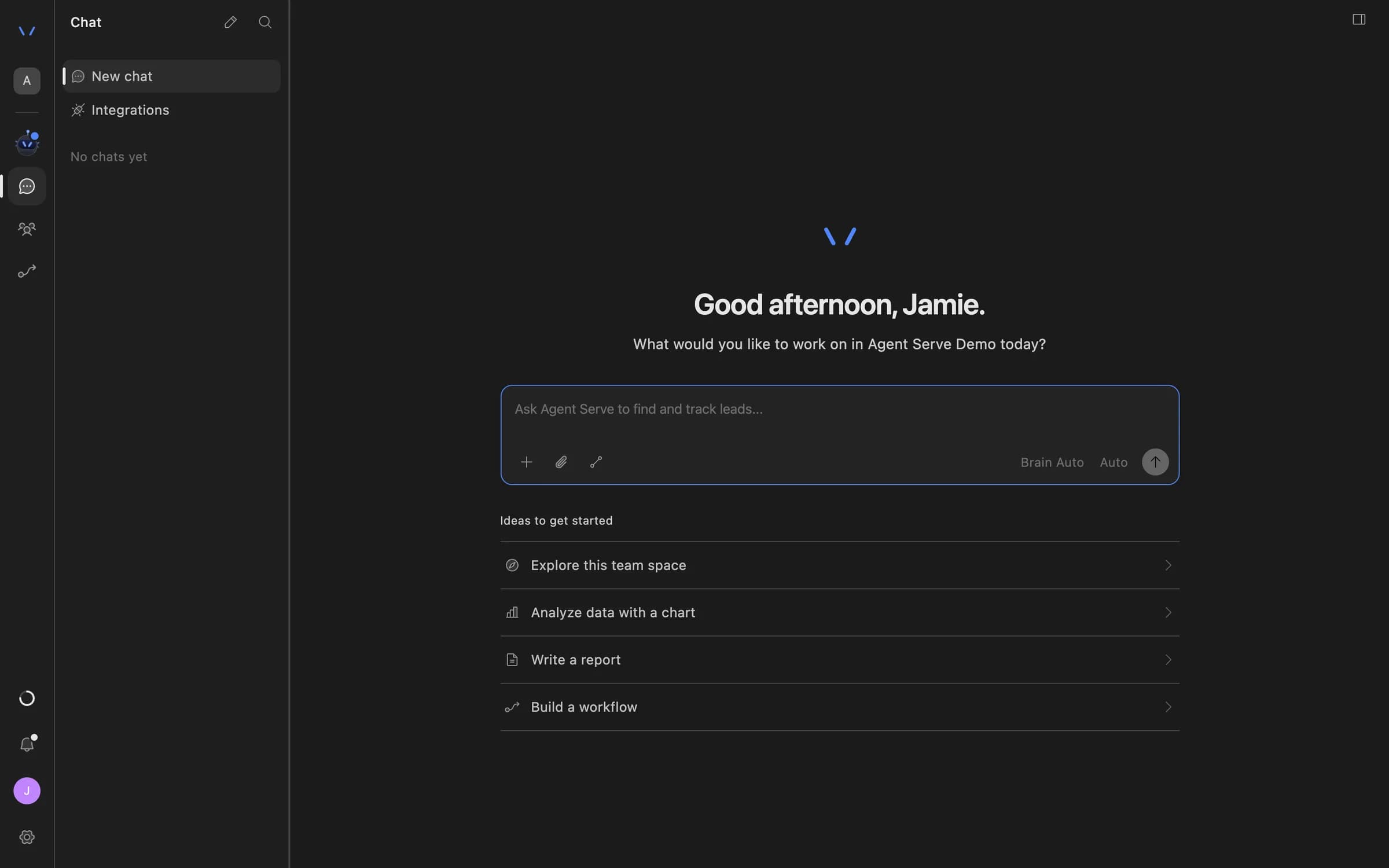
Agent Serve Chat generates images, video, speech and music from a written brief and reference images.

  • Product photos as references
  • First frame for image-to-video
  • A progress card with cancel while it runs
Agent Serve Chat home with a message composer and suggestions to explore the team space, analyze data with a chart, write a report, or build a workflow.
02 · Workflows

A review step before use

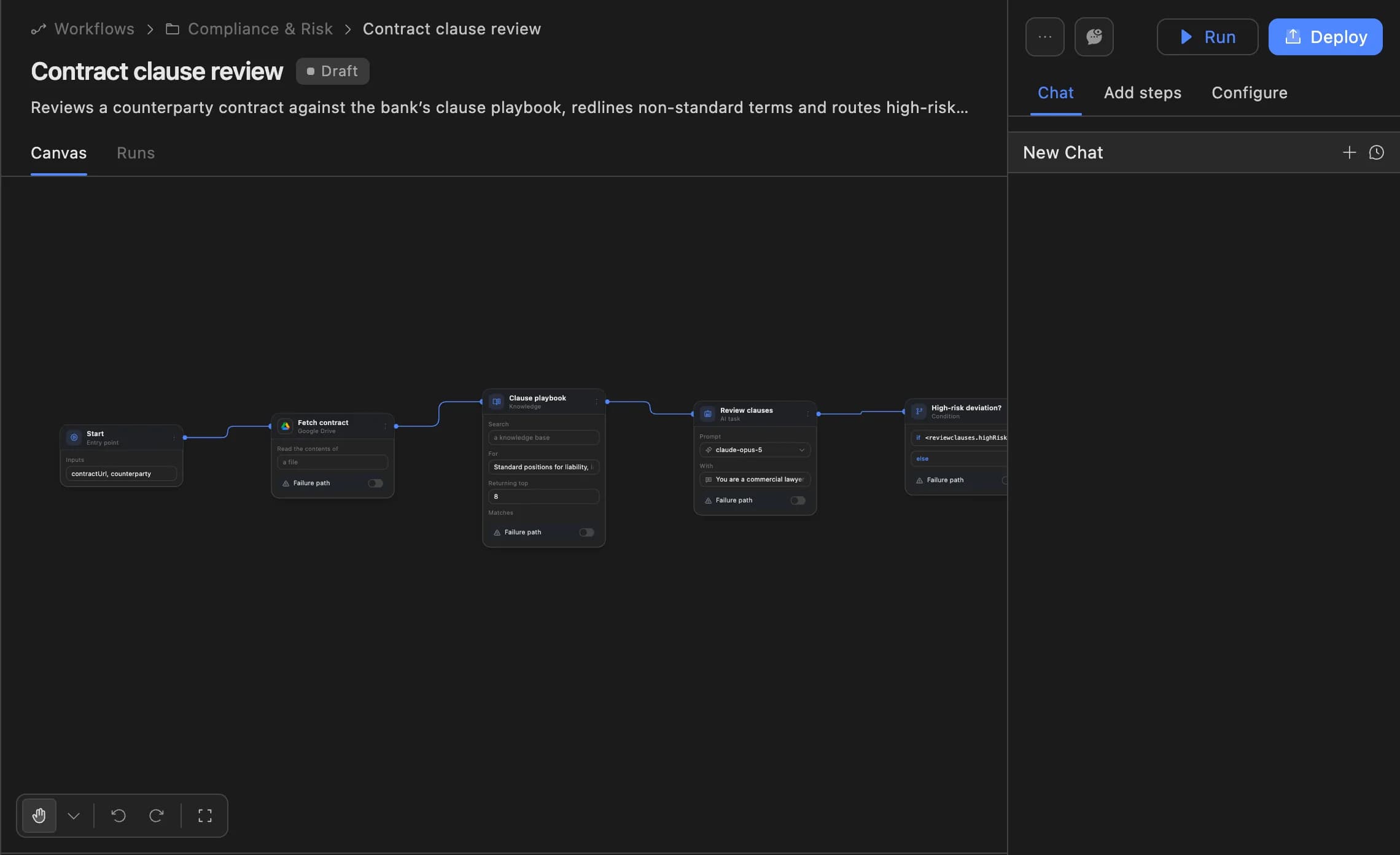
An Agent Serve workflow drafts variants for each new product, then pauses at a Human in the loop step for the brand reviewer.

  • Runs per product or over a list
  • Image Generator and Video Generator blocks
The Agent Serve workflow builder showing a contract clause review agent: start, fetch contract, clause playbook, review clauses and a high-risk deviation branch, with Run and Deploy buttons.
03 · Approvals

The brand team has the last word

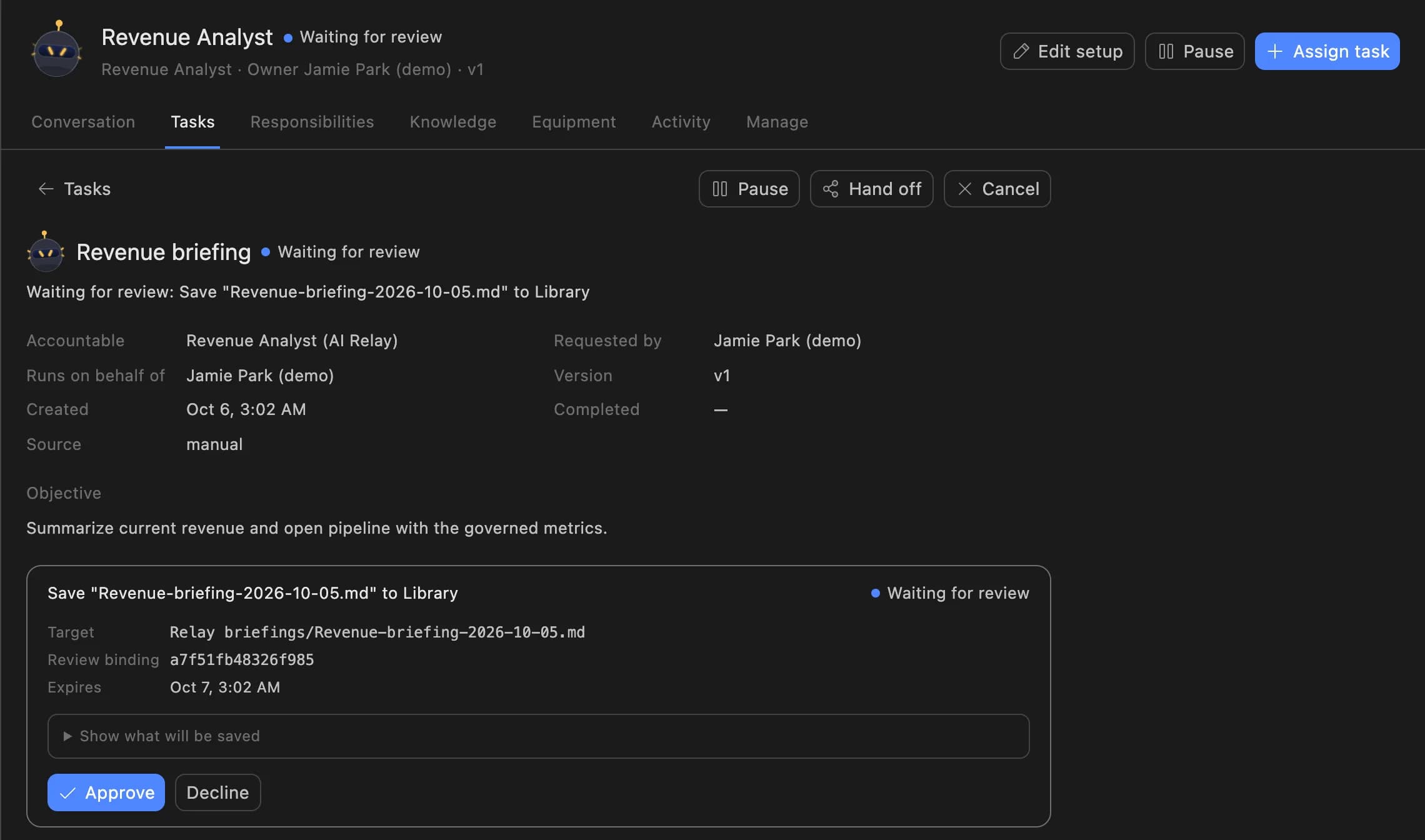
The reviewer sees the draft and approves or declines it, and the decision stays with the Agent Serve run.

A Relay task in Agent Serve waiting for review: the Revenue Analyst asks to save a revenue briefing to the Library, with Approve and Decline buttons.

Examples

Ad drafts across three kinds of brand.

Three creative teams producing ads on Agent Serve, each with a brand reviewer approving before anything is used.

Fashion · Social ads

UGC-style try-on images

An Agent Serve chat turns a flat-lay photo into images in the style of customer posts, saved to the Library for review.

  1. Photo attached
  2. Images generated
  3. Saved with prompt
  4. Brand approves
Beauty · Performance video

Short product video ads

An Agent Serve chat uses the product photo as the first frame of an 8-second video for paid social.

  1. First frame set
  2. Cost confirmed
  3. Video saved
  4. Reviewer approves
Home goods · Catalogue

Variants for each new product

An Agent Serve workflow drafts lifestyle images for each new product and waits for the brand reviewer.

  1. New product
  2. Variants drafted
  3. Human step
  4. Approved to use

Examples show what teams can build in Agent Serve. They describe patterns, not named customer deployments.

Before and after

Fewer shoots, clearer sign-off.

Fewer shoots, clearer sign-off.
WorkBeforeWith Agent Serve
New anglesBeforeA reshoot or a designer’s afternoon per variant.With Agent ServeDrafts generated in Chat from the product photo.
Where files liveBeforeDownloads from separate AI tools on personal accounts.With Agent ServeThe Library, with prompt, model and cost on every file.
Spend on generationBeforeFound on the card statement at month end.With Agent ServeGenerations above a threshold ask before they run.
Brand sign-offBeforeA thumbs-up in a chat thread, if anyone asks.With Agent ServeA review step that records who approved each asset.

Governance

Every asset has a history and a reviewer.

Agent Serve records how each file was made and lets admins decide which media models a team may use.

Security and governance
  • Media generation switch

    Agent Serve access policies can turn media generation on or off and set default image, video, speech and music models.

  • Cost confirmation

    Admins set the threshold above which an Agent Serve generation asks for confirmation before it runs.

  • Approvals before action

    Relays never send email or book meetings without an approval, under any autonomy setting. An approval covers the exact payload the reviewer saw and expires if nobody decides.

  • Audit trail

    Proposals, approvals, declines and executed actions are written to the workspace audit log, which admins can export.

  • Roles and permission groups

    Admin, write and read roles per workspace, plus permission groups that limit which models, blocks and integrations a team can use.

  • Bring your own keys

    Use your organisation’s own model provider keys at organisation or workspace level.

  • Run logs

    Every workflow run records each block’s inputs, outputs and errors, so a reviewer can trace how a result was reached.

Further reading

Solutions built for creative teams.

Questions

About this use case

Which media models can the team use?

Agent Serve lists media models from a live catalogue, such as Veo 3.1, Kling v3.0, Seedance 2.5, Nano Banana 2.1, Seedream 5.0, FLUX.2 or GPT Image 2. The catalogue changes, and admins can limit which models a team may use.

Can Agent Serve generate a whole catalogue at once?

Not in one click. An Agent Serve workflow runs per product, triggered by each new product or run over a list, and every draft still waits for brand review.

How is generation spend kept in check?

A generation estimated above the cost confirmation threshold asks before running. Admins set the threshold in Agent Serve access policies, and each file records its cost.

Are the figures on this page real results?

No. The figures are illustrative examples of what a creative team might measure with Agent Serve, not customer results.

Last updated

Enterprise access

Put AI agents to work across your team

Agent Serve is available to teams by invitation. Tell us what you want to build and we will set up your workspace with you.