Flags
An Agent Serve flag is a true-or-false rule that decides which rows appear in an analysis.
Renewal in 30 days AND usage declined
Agent Serve · Rules
Define “at risk” or “qualified” once. Every dashboard, table and agent checks records the same way, and shows why a row passed.
Agent Serve Rules makes business definitions explicit in Agent Serve, the AI workspace where teams build, deploy, and manage AI agents. Rules are reusable flags, classifications and scores built from conditions and groups, used to filter records, derive columns, supply states for dashboard values, drive monitors and guide Relays.
How it works
An Agent Serve rule is a name, a type and a condition. Once saved, dashboards, monitors and Relays all use the same definition.
Give it a name people search for, such as High Risk Opportunity, and an optional description.
Choose Flag (true / false), Classification (labels) or Score (points).
Combine conditions in all or any groups, with operators such as between, in, contains and is empty.
Filter dashboard tables, colour maps, set KPI states, watch matches in Monitors, and bind it to a Relay.
Three kinds
An Agent Serve flag is a true-or-false rule that decides which rows appear in an analysis.
Renewal in 30 days AND usage declined
An Agent Serve classification sorts records into labelled buckets, each with its own condition, plus a fallback label.
Healthy · Watch · At risk
An Agent Serve score adds points when each condition holds, so the team can read and edit how a number is built.
+3 points when overdue > 30 days
Where rules run
Agent Serve uses the same rule in dashboard tables, KPI states, maps, monitors, Relays and call compliance.
An Agent Serve dashboard table can include or exclude rows with a rule, or add a rule result column beside the data.
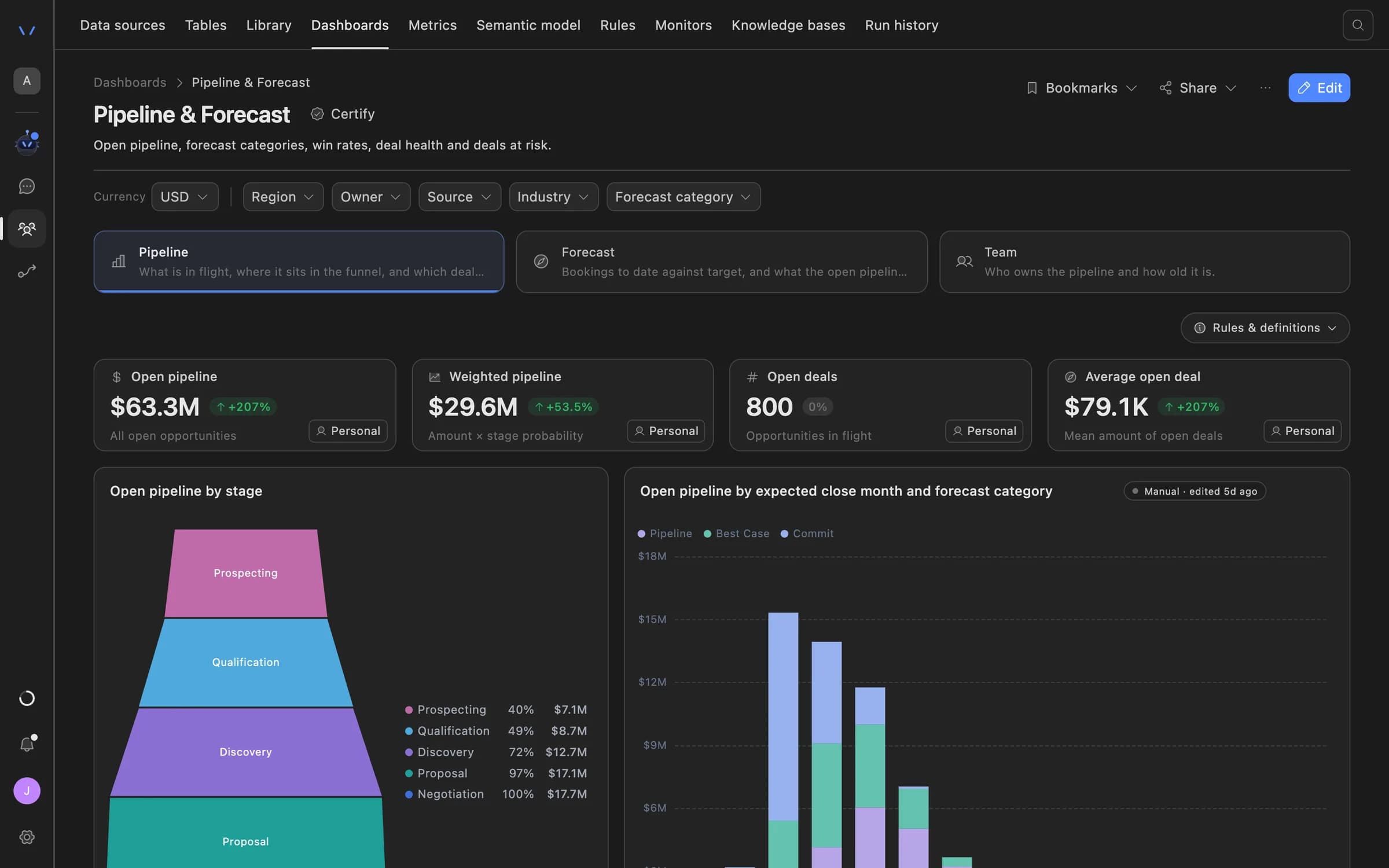
Agent Serve rules set the state badge on a KPI card and colour map regions, so colour follows a definition rather than taste.
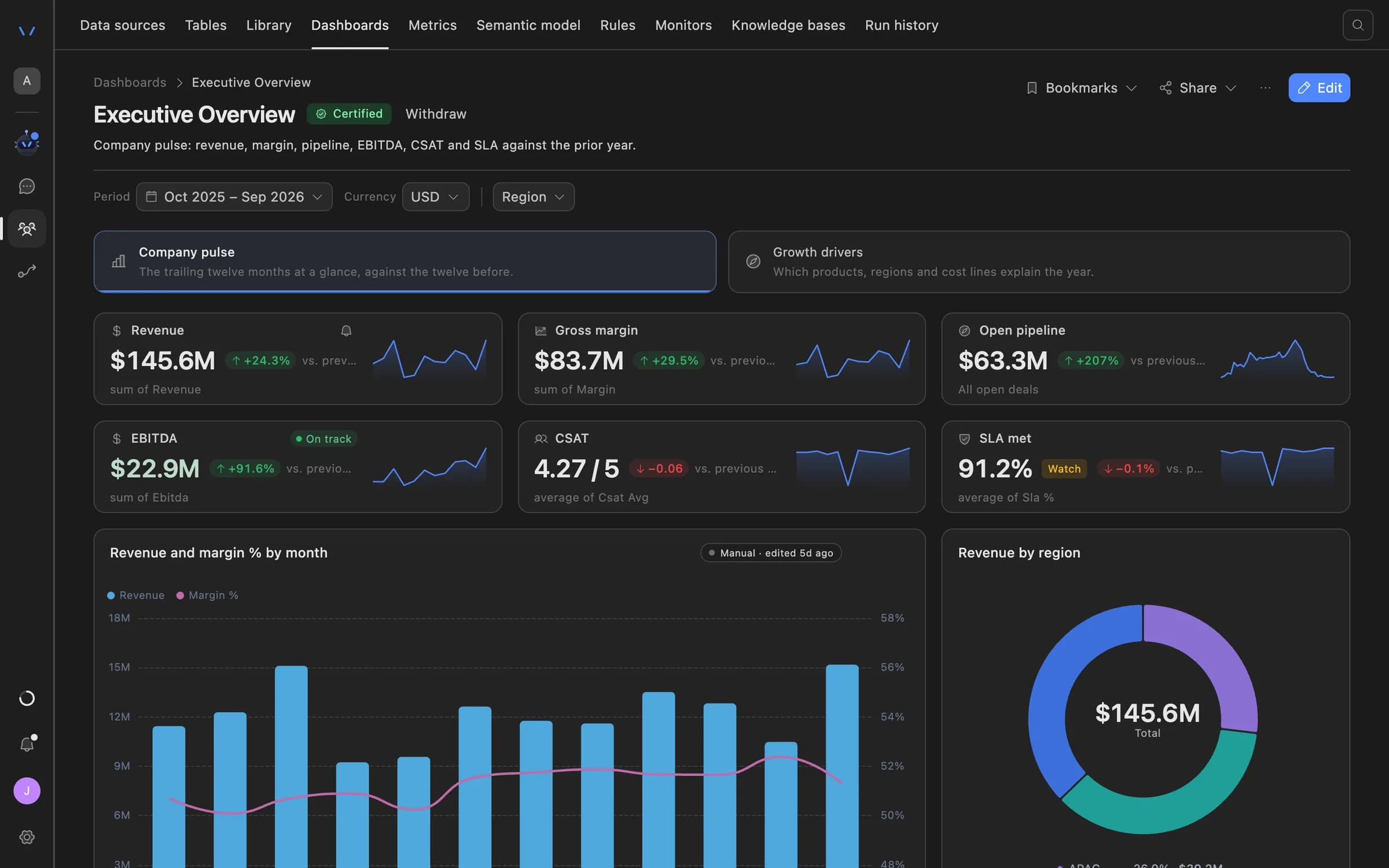
In Agent Serve call compliance, a breach rule decides which failed checks count as a breach in the report.
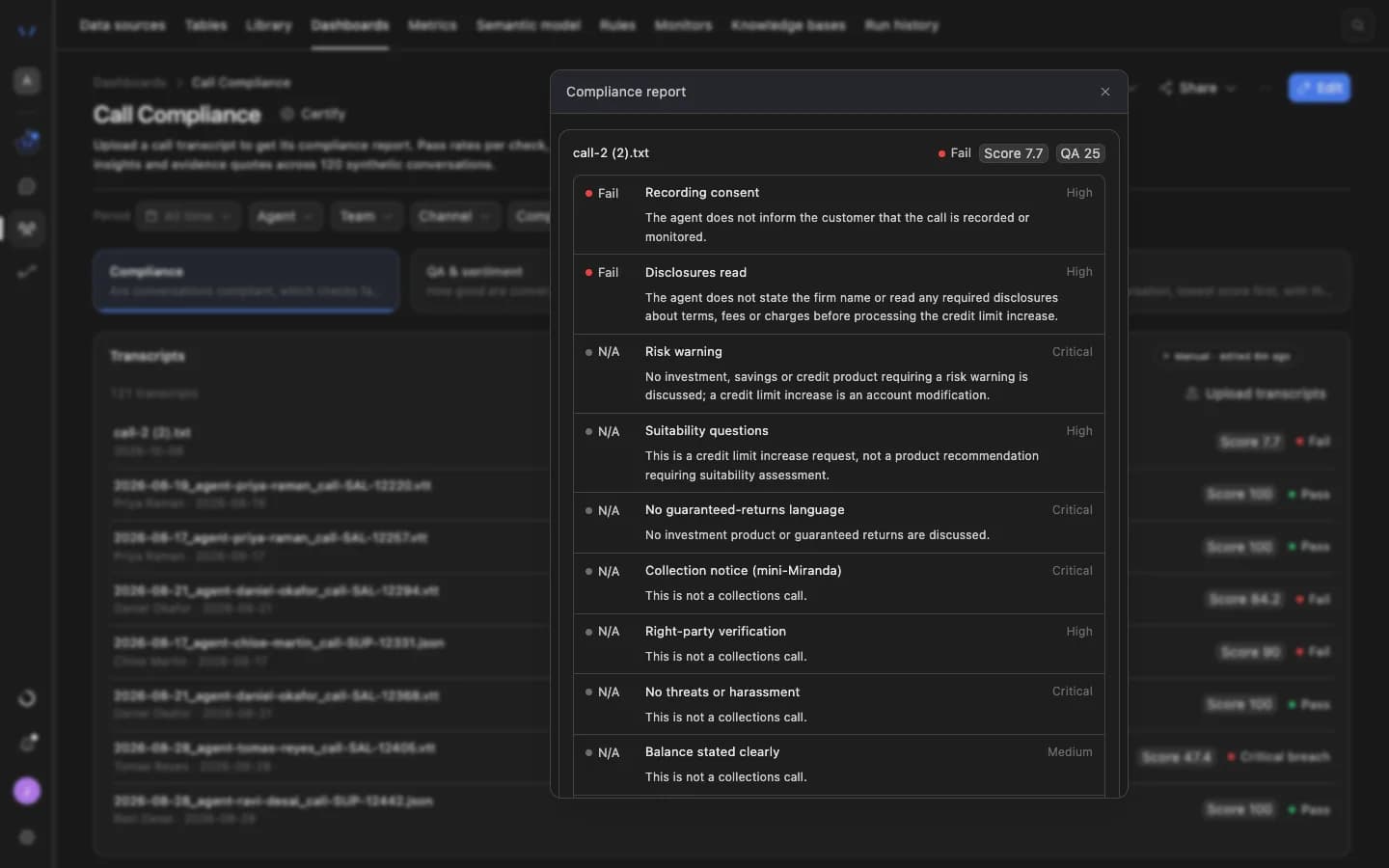
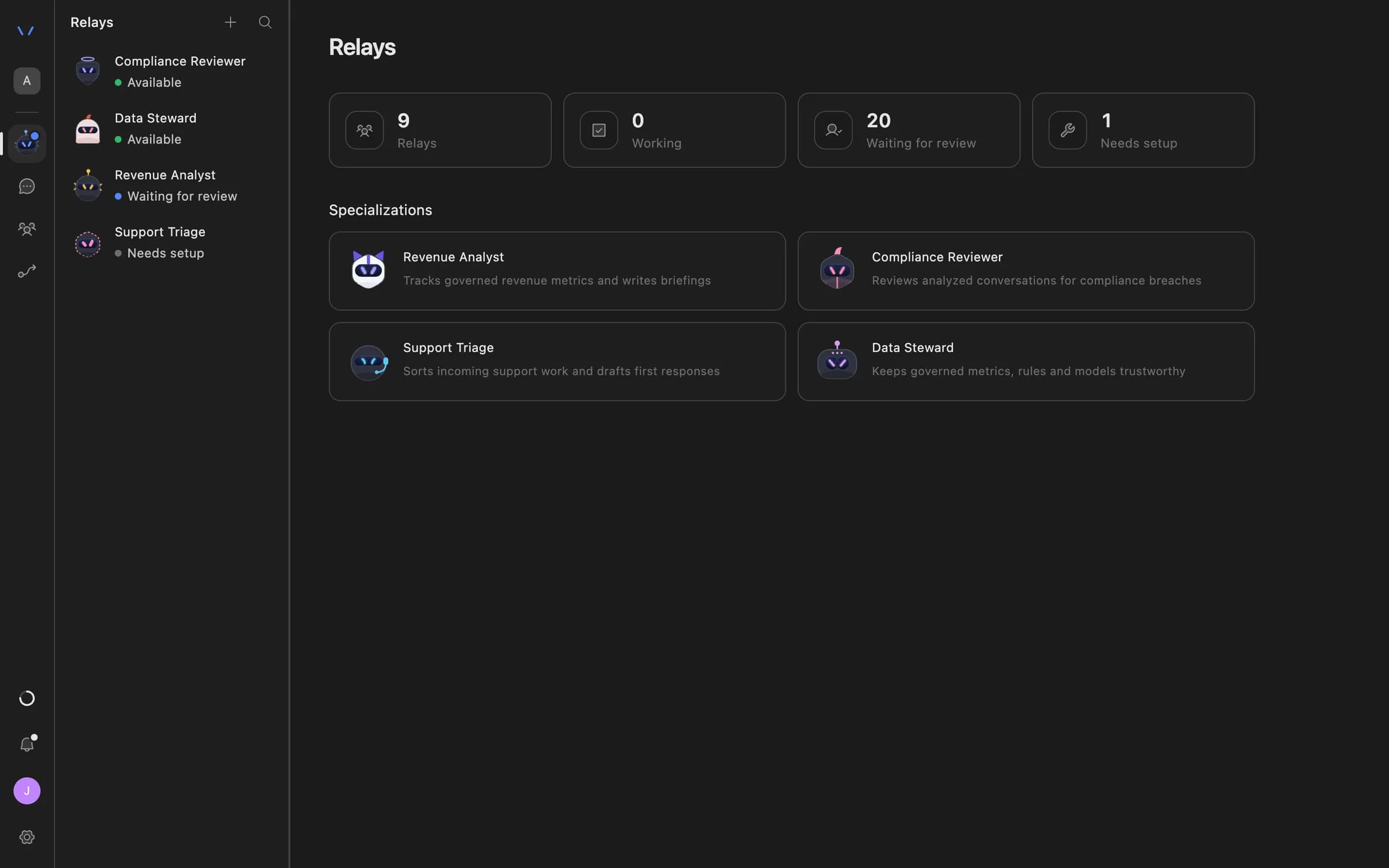
An Agent Serve Rule match monitor alerts when enough rows match a rule, and a Relay bound to that rule checks records the same way.
Examples
Three definitions financial services teams keep in Agent Serve Rules instead of in spreadsheets and people’s heads.
An Agent Serve flag marks large deals in late stages with a weak credit rating, and the pipeline review table shows only those.
An Agent Serve flag marks transactions at or above the reporting threshold, and a Rule match monitor alerts when enough rows match.
An Agent Serve classification sorts complaints into Regulatory, Service and Billing, with General as the fallback label.
Examples show what teams can build in Agent Serve. They describe patterns, not named customer deployments.
Reuse
A rule lives apart from the panels that use it. Change the definition once and every dashboard, table and monitor follows.
Under the hood
| Rule types | Flag (true / false), Classification (labels) and Score (points). |
|---|---|
| Groups | Conditions combine in all, any and not groups. |
| Operators | =, ≠, >, ≥, <, ≤, in, not in, between, contains, is empty and is set. |
| Classifications | Labelled buckets, each with its own condition, plus an optional fallback label. |
| Scores | Scoring terms that add points when their condition holds. |
| Outcome colours | Outcome labels can carry colours for badges and maps. |
| Used by | Dashboard tables, KPI state badges, map colouring, Monitors (Rule match), Relay bindings and the call compliance breach rule. |
Before and after
| Work | Before | With Agent Serve |
|---|---|---|
| What “at risk” means | BeforeA formula copied into every report, each slightly different. | With Agent ServeOne Agent Serve rule, used by every dashboard, monitor and Relay. |
| Changing the definition | BeforeHunt down every report and update it by hand. | With Agent ServeEdit the rule once, and every place that uses it follows. |
| Explaining a score | BeforeA number nobody can trace back to its inputs. | With Agent ServeScoring terms anyone can read: points, and when they apply. |
By the numbers
3
Rule types: flag, classification and score
12
Operators, from equals to is set
3
Group kinds: all, any and not
6
Places a rule is used across Agent Serve
Works with
Further reading
Disputes that fail reconciliation tend to sit in a side queue until the chargeback window has closed. Here is an end-to-end setup that finds them early, ranks them by deadline and drafts the pack, with an analyst signing every filing.
Cards and payments operations · 12 min readPeriodic reviews pile up because every file starts from scratch, even when nothing has changed. Here is a setup that refreshes the data, drafts the file and routes it by risk, so analysts spend their time on the reviews that need judgement.
Retail and business banking · 12 min readSampled call reviews find a missing risk warning weeks after the client acted on the advice. Here is a setup that checks every recorded advice call within a day and puts the quote in front of a compliance reviewer.
Wealth and advice · 12 min readQuestions
Agent Serve rules can include or exclude records, derive columns, classify map features and supply states for metric displays. A rule’s definition lives separately from the panels that use it.
In Agent Serve, a flag is true or false, a classification sorts records into labelled buckets with a fallback label, and a score adds points when each condition holds.
Yes. An Agent Serve Rule match monitor fires when at least the number of rows you set in a table match the rule.
Yes. An Agent Serve Relay can take rules as resources, so it checks records with the same definitions as your dashboards and monitors.
Last updated
Enterprise access
Agent Serve is available to teams by invitation. Tell us what you want to build and we will set up your workspace with you.