Use case · Agency operations

Every client brand, one workspace.

Client dashboards, a creative production line and competitor research run in one workspace, and each client sees only their own data.

An illustrative agency operations use case for Agent Serve, the AI workspace where teams build, deploy, and manage AI agents: client reporting dashboards, a creative production line, competitor research and per-client connections and access.

At a glance

Who serves clients, and where the week goes.

Who it is for

Agency leads, account managers, strategists and creative teams serving several client brands

The problem it removes

Each Monday someone exports every ad platform for every client and pastes it into a deck. Creative drafts and competitor notes live in personal folders, and client data sits side by side with no clear line between brands.
What your team still controls

People decide

  • An account manager approves every email to a client
  • Which client accounts and Tool connections each Relay may use
  • Who sees which client’s rows in tables, dashboards and reports
Day one

What you can run first

  • One performance table with a client column
  • A client dashboard filtered to one brand at a time
  • A weekly scheduled report to each client’s contacts
Later

What you add once it is trusted

  • A reporting Relay that drafts the weekly commentary
  • A creative production line with brand review per client
  • Competitor research saved to a table each week

Step by step

One client week, start to finish.

  1. 01

    Each client is kept apart

    Row-level policies on the client column decide who sees which brand.

  2. 02

    Creative drafts are filed

    Drafts for each client land in the Library with their prompt and model.

  3. 03

    The account manager approves

    The weekly commentary goes to the client only after the account manager says yes.

How it fits together

Reporting, creative and research in one place.

  1. 01Workflows

    Pull the numbers

    Scheduled workflows read Google Ads, Instagram and Shopify into one table with a client column.

  2. 02Dashboards & BI

    Report per client

    One client dashboard serves every brand, filtered by the client column.

  3. 03Relays

    Draft the commentary

    A reporting Relay explains what changed each week and waits for the account manager.

  4. 04Chat

    Research and create

    Strategists research competitors and designers draft creative in Chat.

  5. 05Security & compliance

    Keep clients apart

    Row-level policies, permission groups and Relay allowlists keep each client’s data separate.

How it runs

From Monday exports to an approved client report.

Agent Serve gathers each client’s numbers and drafts the commentary, and the account manager decides what the client receives.

  1. 1

    The numbers are gathered

    A scheduled workflow reads Google Ads, Instagram insights and Shopify orders for each client into the performance table.

  2. 2

    Each client is scoped

    Row-level policies on the client column limit every panel, export and report to one brand.

  3. 3

    The commentary is drafted

    The reporting Relay reads the client’s numbers and explains the three biggest changes.

  4. 4

    The account manager approves

    The email to the client waits for approval, with recipients limited to an allowlist of client domains.

What to measure

How an agency might measure the change.

Example figures for an agency serving fifteen client brands on paid media and creative.

Illustrative

−70%

Report prep per client

Numbers gathered by workflows, not exports.

Illustrative

1

Dashboard for every client

Row-level access, not a copy per brand.

Illustrative

−50%

Time to first creative drafts

Drafts generated from the client’s product photos.

Illustrative

100%

Client emails approved

Every report has an account manager’s yes.

Illustrative example. Figures show how the workflow is measured; they are not customer results.

In depth

What the agency team works with.

Agent Serve gives an agency the client dashboards, the Relays, their connections and Chat in one workspace.

01 · Dashboards

One dashboard, every client

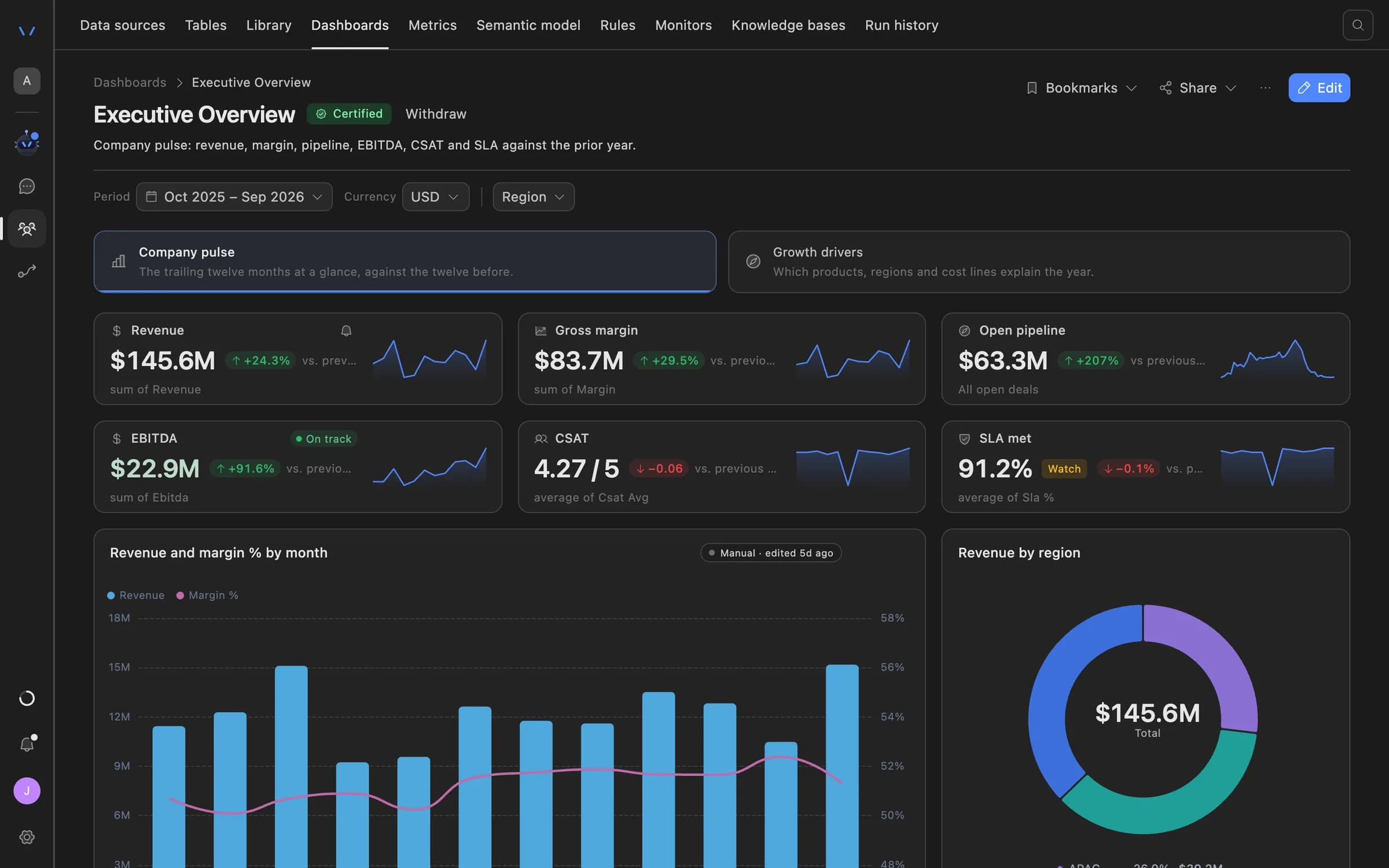
The Agent Serve client dashboard reads one performance table and filters to one brand through row-level access.

  • Spend, revenue and ROAS as named metrics
  • Weekly PDF, PNG or link to client contacts
  • Read-only client members see only their rows
Agent Serve dashboard showing an executive overview: revenue, gross margin, open pipeline, EBITDA, CSAT and SLA tiles with trend lines, a monthly revenue and margin chart, and revenue by region.
02 · Relays

A Relay per client, or per job

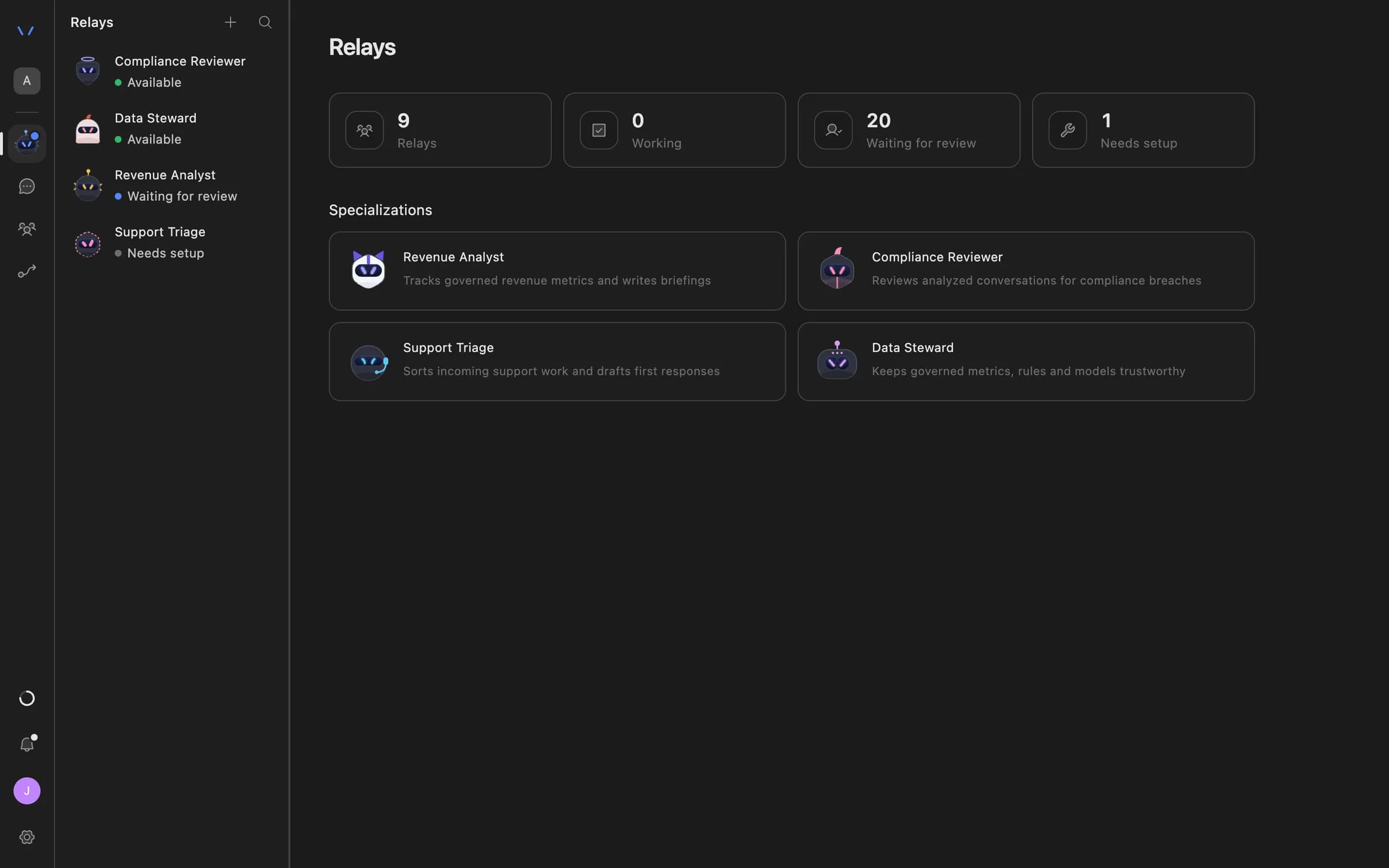
Give each Agent Serve Relay only the client accounts and Tool connections on its allowlist, such as one client’s Meta ads connection.

  • Relay teams with hand-off rules
  • A shared notes board per team
  • A kill switch for a Relay or a team
The Relays page in Agent Serve listing AI coworkers — Compliance Reviewer, Data Steward, Revenue Analyst and Support Triage — with their status and specializations.
03 · Research

Competitor research on a schedule

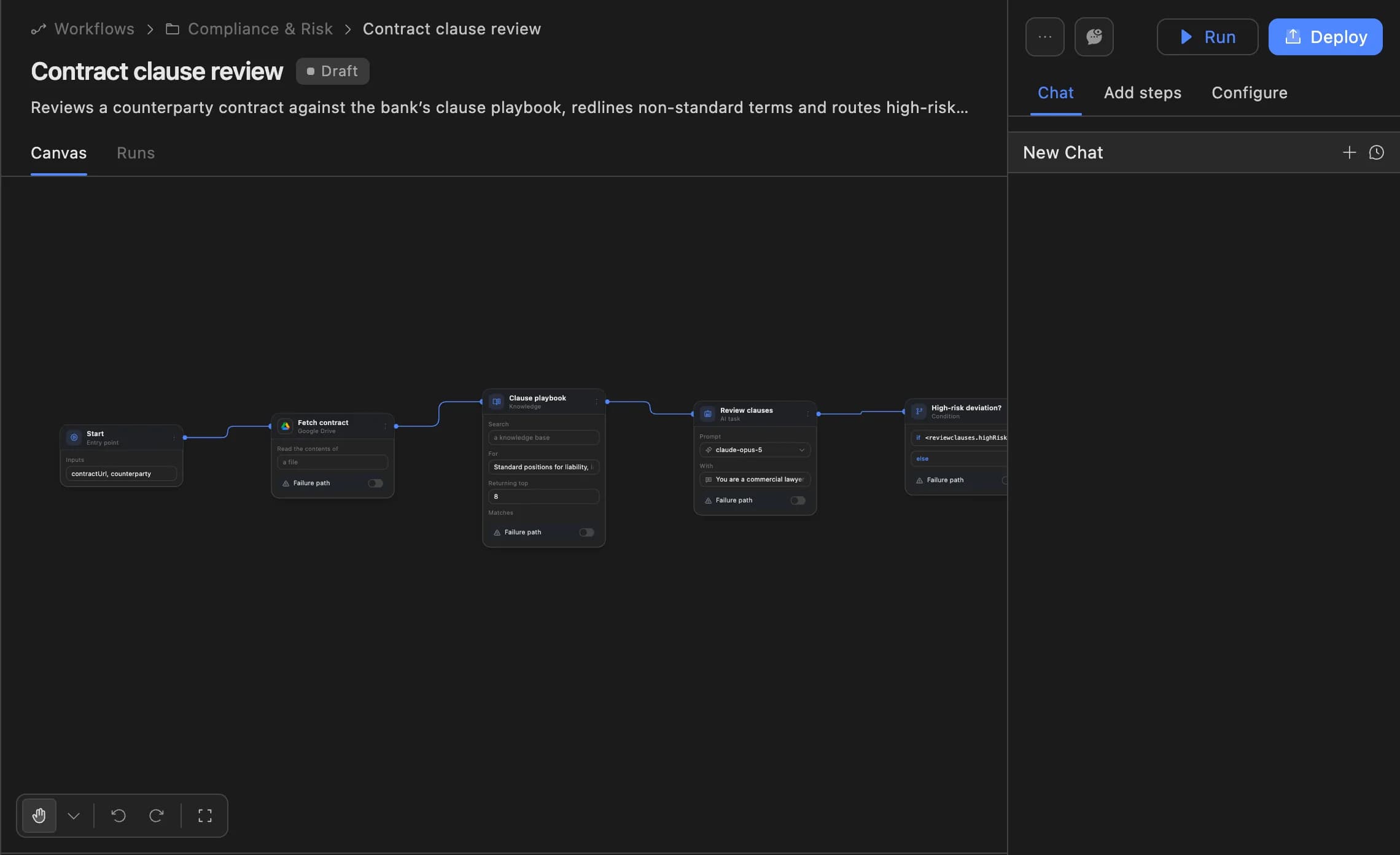
An Agent Serve workflow reads Semrush or Ahrefs reports and scrapes competitor pages with Firecrawl, then saves the findings to a table.

The Agent Serve workflow builder showing a contract clause review agent: start, fetch contract, clause playbook, review clauses and a high-risk deviation branch, with Run and Deploy buttons.
04 · Chat

Briefs and drafts in one place

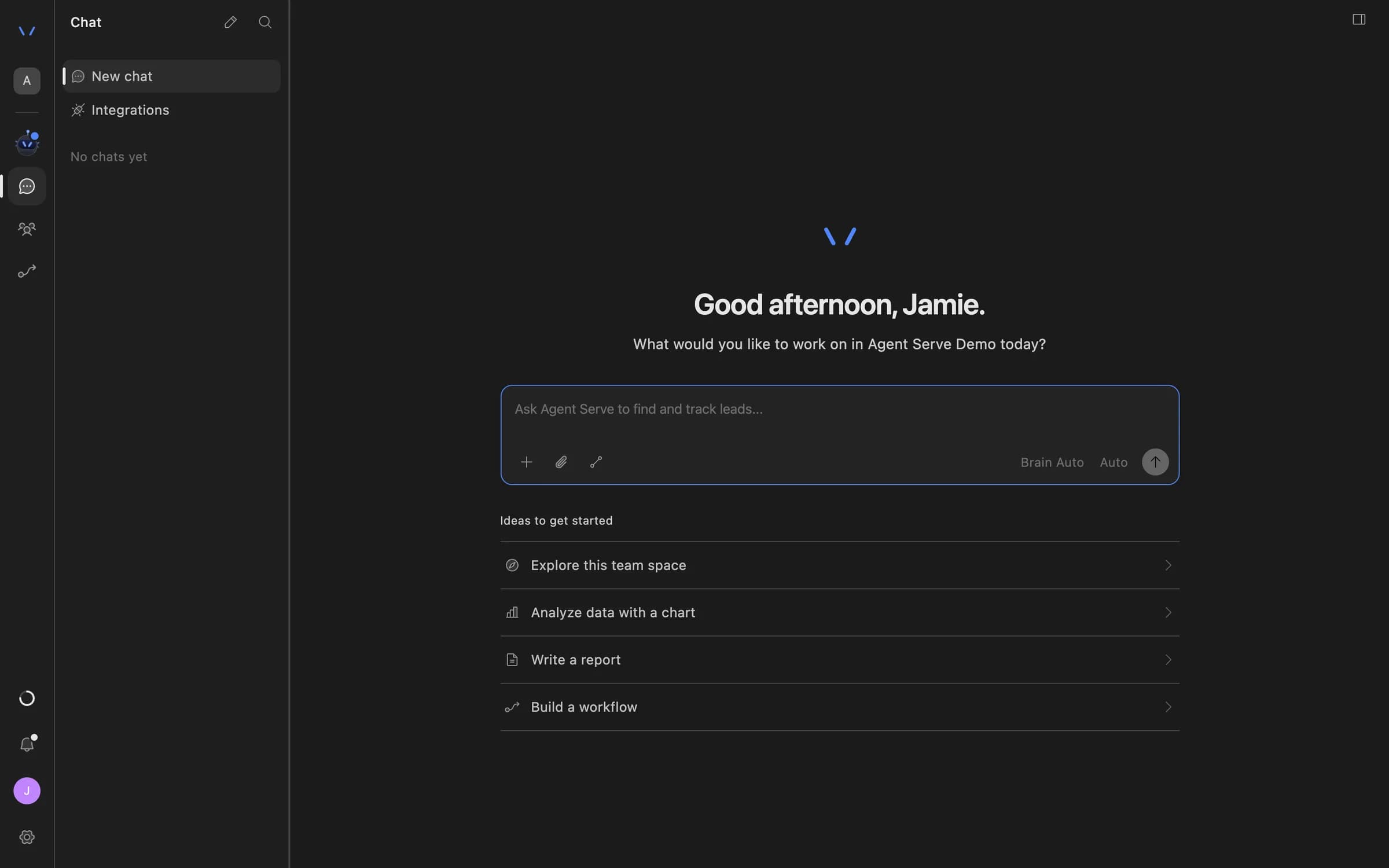
Strategists ask Agent Serve Chat about a client’s numbers, and designers generate creative drafts that save to the Library.

Agent Serve Chat home with a message composer and suggestions to explore the team space, analyze data with a chart, write a report, or build a workflow.

Examples

Agency work across three kinds of service.

Three agency teams running client work on Agent Serve, each with a person approving what reaches the client.

Performance agency · Reporting

Weekly client reports

An Agent Serve workflow gathers each client’s ad and store numbers, and a Relay drafts the note the account manager approves.

  1. Numbers gathered
  2. Client filtered
  3. Note drafted
  4. Manager approves
Creative studio · Production

A creative production line

An Agent Serve workflow drafts ad variants from each client’s product photos and waits for that client’s brand reviewer.

  1. Brief in
  2. Drafts generated
  3. Library filed
  4. Brand approves
Strategy team · Pitches

Competitor research briefs

An Agent Serve workflow reads search and ads reports for a prospect’s competitors and drafts a brief for the strategist.

  1. Competitors listed
  2. Reports read
  3. Brief drafted
  4. Strategist edits

Examples show what teams can build in Agent Serve. They describe patterns, not named customer deployments.

Before and after

Less copy and paste, more client work.

Less copy and paste, more client work.
WorkBeforeWith Agent Serve
Client reportsBeforeExports from each platform pasted into a deck every week.With Agent ServeA scheduled report from one dashboard, filtered per client.
Client dataBeforeEvery brand in the same spreadsheet tabs.With Agent ServeRow-level policies keep each client to their own rows.
Creative draftsBeforeFiles from separate AI tools in personal folders.With Agent ServeDrafts saved to the Library with prompt, model and cost.
Competitor researchBeforeDone once for the pitch and never updated.With Agent ServeA workflow refreshes the findings table each week.

Governance

Each client kept to their own data.

Agent Serve scopes what each person and each Relay can see, and every client email waits for a named account manager.

Security and governance
  • Per-client allowlists

    An Agent Serve Relay can use only the integrations and Tool connections on its allowlist, so one client’s accounts stay with that client’s Relay.

  • Client domains only

    An Agent Serve Relay’s recipient policy can be limited to an allowlist of client domains.

  • Row-level access

    Row-level policies narrow what each person sees in tables, dashboards, exports and scheduled reports.

  • Approvals before action

    Relays never send email or book meetings without an approval, under any autonomy setting. An approval covers the exact payload the reviewer saw and expires if nobody decides.

  • Roles and permission groups

    Admin, write and read roles per workspace, plus permission groups that limit which models, blocks and integrations a team can use.

  • Audit trail

    Proposals, approvals, declines and executed actions are written to the workspace audit log, which admins can export.

  • SSO and SCIM

    Sign in through your identity provider with SAML 2.0 or OIDC, and provision people with SCIM.

Further reading

Solutions built for agencies.

Questions

About this use case

Do clients need an Agent Serve login?

Not to receive reports. Agent Serve scheduled reports go to external email addresses as a PDF, PNG or link. A client contact who signs in as a read-only member sees only their own rows.

How are client ad accounts connected?

Google Ads, Instagram and Shopify connect as Agent Serve integrations. Meta ads connect through Meta’s official ads server under Tool connections, and each Relay uses only the connections on its allowlist.

Can a Relay email a client on its own?

No. An Agent Serve Relay never sends email without approval of the exact message, and its recipients can be limited to client domains.

Are the figures on this page real results?

No. The figures are illustrative examples of what an agency might measure with Agent Serve, not customer results.

Last updated

Enterprise access

Put AI agents to work across your team

Agent Serve is available to teams by invitation. Tell us what you want to build and we will set up your workspace with you.