Agent Serve · Workflows

Repeatable work, visible at every step.

Connect triggers, AI agents, code and business tools in the workflow builder. Follow every run, and add a person where decisions need one.

Agent Serve Workflows is the visual builder in Agent Serve, the AI workspace where teams build, deploy, and manage AI agents. Teams connect blocks for models, integrations, code, conditions and human approval, start runs manually, on a schedule, from a webhook or an integration trigger, and deploy workflows as an API, a chat page or a tool.

How it works

From the first event to a recorded decision.

An Agent Serve workflow starts on an event, lets an AI agent do the work, checks the output and asks a person where it matters.

  1. 1

    A trigger starts the run

    A schedule, a webhook, a new table row or an event in a connected app starts the workflow.

  2. 2

    An agent does the work

    The Agent block uses the model, instructions and tools you chose, and decides which tool to call.

  3. 3

    Guardrails check the output

    Guardrails test for valid JSON, a pattern, unsupported claims or personal data before the run moves on.

  4. 4

    A person decides

    The Human block pauses the run and alerts the approver, who resumes it from a page.

In depth

Blocks you connect, runs you can follow.

Agent Serve gives the workflow builder blocks for models, logic, code, data and people, and starts them from the apps you already use.

01 · Builder

Every block says what it does

Each block in the Agent Serve workflow builder shows what it does in a sentence. Connect outputs to inputs and test a run without leaving the builder.

  • Agent, Router, Condition, Function, API and Evaluator blocks
  • Loops and parallel branches for lists of work
  • Edit together, with live cursors and undo
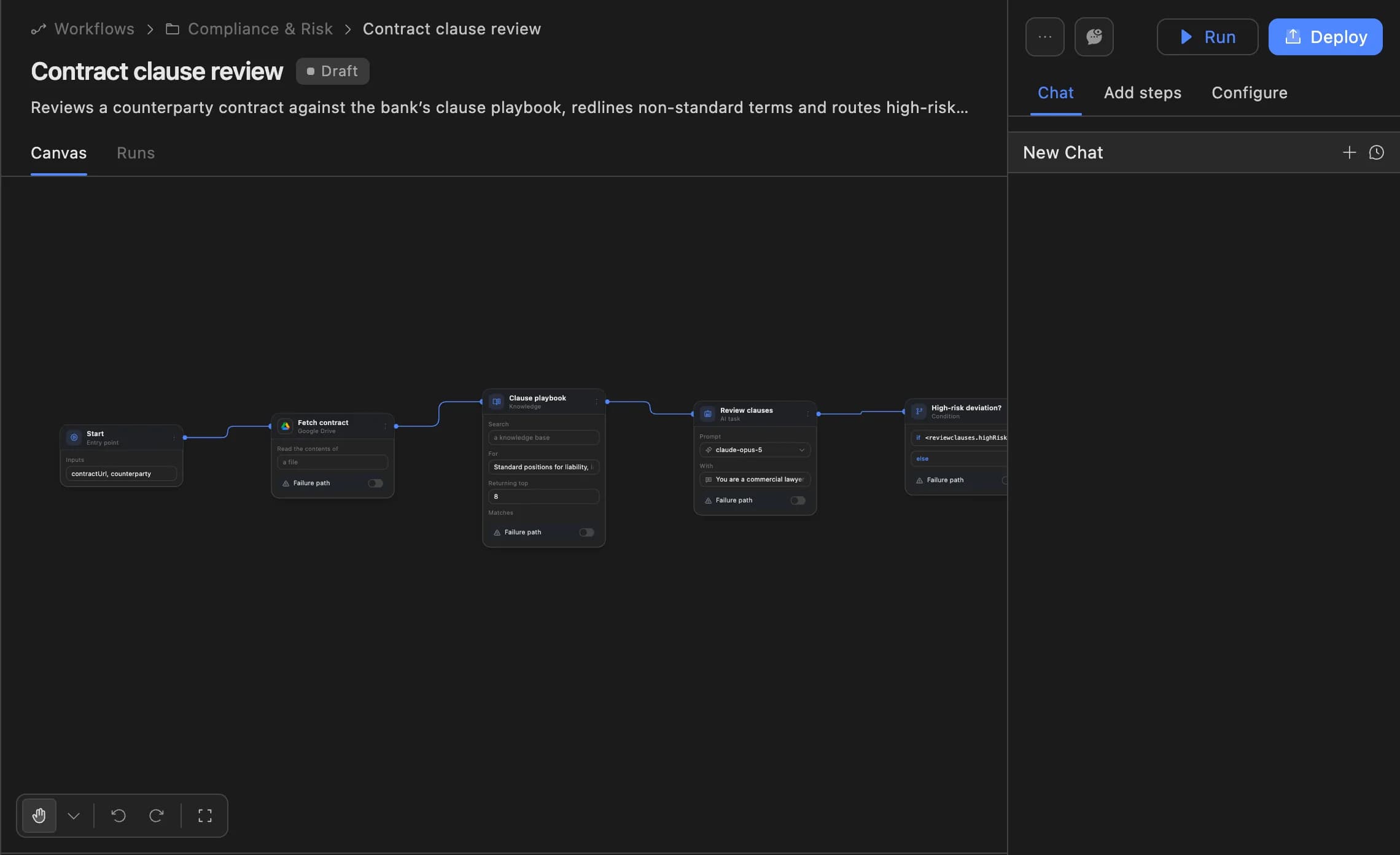
The Agent Serve workflow builder showing a contract clause review agent: start, fetch contract, clause playbook, review clauses and a high-risk deviation branch, with Run and Deploy buttons.
02 · Triggers

Start when work arrives

Agent Serve workflows start by hand, on a schedule, from a webhook, from a table row, or from an event in a connected app.

  • Schedules from every minute to monthly, or custom cron
  • Row Inserted, Row Updated and Row Deleted on tables
  • Events from Slack, Gmail, Salesforce, Jira and more
03 · Audio

Work with audio, too

Agent Serve speech-to-text and text-to-speech blocks turn call recordings into transcripts and written replies into audio.

  • Transcribe a recording
  • Score it against a checklist
  • Read back a summary
04 · Chat

Build it by describing it

Describe the process in Agent Serve Chat and it proposes the blocks. Each change shows Accept and Reject before it lands in the workflow.

  • Chat, Add steps and Configure in the builder side panel
  • Ask Chat why a run failed
  • Deploy or roll back from the conversation
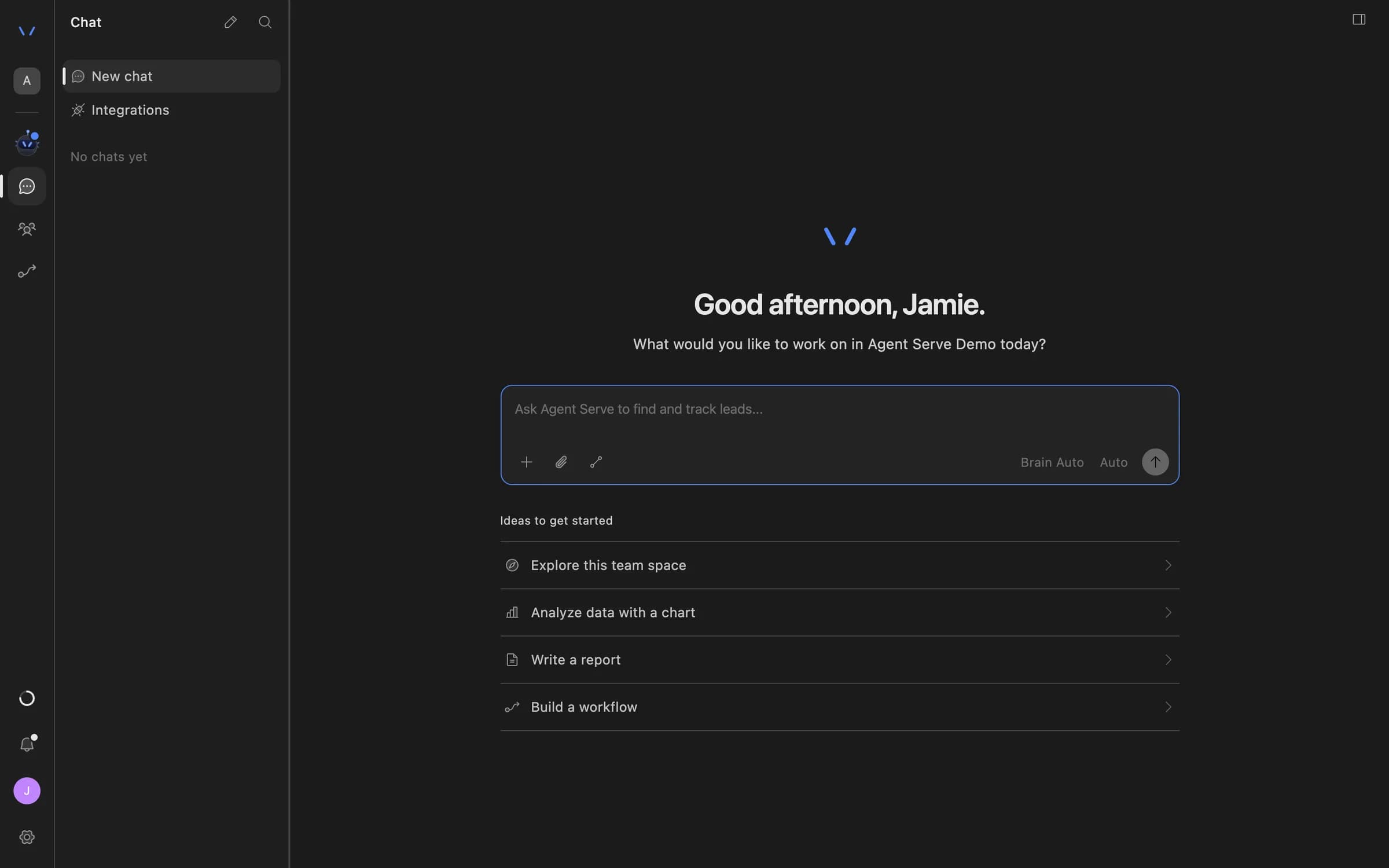
Agent Serve Chat home with a message composer and suggestions to explore the team space, analyze data with a chart, write a report, or build a workflow.

By the numbers

The workflow builder in four figures.

Blocks in the workflow builder

300+

Blocks in the workflow builder

Integration triggers that can start a run

400+

Integration triggers that can start a run

Parallel branches in one run

20

Parallel branches in one run

Ways to deploy: API, chat page and tool

3

Ways to deploy: API, chat page and tool

Counted from the Agent Serve block and trigger registries and rounded down.

Capabilities

Everything a process needs, in one builder.

AI agent blocks

An Agent Serve Agent block takes a model, instructions, tools, files and memory, and decides which tool to call.

Agent → CRM lookup → Draft reply

Human approval step

The Agent Serve Human block pauses a run until a person responds, with optional Slack or email alerts to approvers.

Draft → Review → Send

Deploy three ways

Deploy an Agent Serve workflow as an API endpoint, a hosted chat page, or a tool on a workspace MCP server, a standard way for AI apps to call tools.

API · Chat · MCP

Versions you can roll back

Every Agent Serve deployment is a version with who deployed it and when. Load an earlier one or Promote to live.

Version 12 · Promote to live

A trace for every run

Agent Serve Logs show each block’s inputs, outputs, model, tokens, cost and duration, and let you retry a run.

Trace · Tokens: 1,204 in · 318 out

Code and data, built in

Agent Serve Function blocks run JavaScript or Python, and Table, Knowledge and API blocks bring in your data.

Function · Table · Knowledge · API

Examples

What banks and insurers run as workflows.

Three processes financial services teams build in Agent Serve Workflows, each with a person at the decision point.

Retail banking · KYC

Periodic KYC refresh

An Agent Serve schedule picks the customers due for review, an agent gathers their records and drafts the refresh note, and an analyst signs off.

  1. Weekly schedule
  2. Customers due
  3. Agent drafts note
  4. Analyst approves
Financial crime

AML alert triage

An alert arrives by webhook, an Agent Serve agent summarizes the customer’s history from tables, Guardrails mask personal data, and an investigator decides.

  1. Alert webhook
  2. History summarized
  3. PII masked
  4. Investigator decides
Insurance · Claims

First notice of loss

A new claim starts an Agent Serve workflow that extracts the policy and loss details, checks cover, and routes simple claims to fast track.

  1. Claim received
  2. Details extracted
  3. Cover checked
  4. Routed

Examples show what teams can build in Agent Serve. They describe patterns, not named customer deployments.

Under the hood

Agent Serve Workflows, in detail.

Agent Serve Workflows, in detail.
TriggersStart (manual, chat and API runs), Schedule, Webhook Trigger, table row events and 400+ integration triggers.
SchedulesEvery 1 to 1,440 minutes, hourly, daily, weekly, monthly or custom cron, in a chosen time zone.
LoopsFor Loop, For Each, While Loop and Do While Loop, 1,000 iterations by default.
ParallelParallel Count or Parallel Each, up to 20 branches. Nesting up to 10 levels.
WaitUp to 5 minutes, or up to 30 days with Async.
CodeFunction blocks run JavaScript or Python.
DeployAPI with curl, Python, JavaScript and TypeScript samples, streaming and async; a hosted chat page; or a tool on an MCP server.
VersionsRename, Add description, Load deployment and Promote to live.
Run tracePer block: model, provider, tokens, time to first token, cost, duration and retries.

Before and after

From scripts and inboxes to traced runs.

From scripts and inboxes to traced runs.
WorkBeforeWith Agent Serve
How the process is definedBeforeA script one engineer understands, or steps in a procedure document.With Agent ServeBlocks in the workflow builder that each say what they do.
Where a person decidesBeforeAn email thread, with the decision lost in someone’s inbox.With Agent ServeA Human block that pauses the run and records the response.
Changing a live processBeforeEdit in place and hope nothing breaks.With Agent ServeDeploy a new version, and Promote to live an earlier one if needed.
Finding out what went wrongBeforeAsk around and rerun it by hand.With Agent ServeOpen the run, follow the trace block by block, and retry it.

Governance

Controls built into every run.

Agent Serve Workflows check outputs, keep secrets out of sight and run from a deployed version, with a record of each run.

Security and governance
  • Guardrails

    The Agent Serve Guardrails block checks for valid JSON, a regex match, unsupported claims against a knowledge base, or personal data, which it blocks or masks.

  • Secrets stay secret

    Agent Serve secrets are stored in settings and referenced by name, and Function blocks can be limited to selected secrets.

  • Deploy options you allow

    Agent Serve access policies let admins hide each deploy option, API, MCP or Chat, for a group.

  • Schedules that stop failing

    An Agent Serve schedule turns itself off after 100 failures in a row, so a broken run does not repeat forever.

  • Deployed versions

    Workflows run from a deployed version, so a change is reviewed before it reaches production runs.

  • Run logs

    Every workflow run records each block’s inputs, outputs and errors, so a reviewer can trace how a result was reached.

  • PII detection

    A Guardrails block detects personal data and blocks or masks it before text reaches the next step.

  • Roles and permission groups

    Admin, write and read roles per workspace, plus permission groups that limit which models, blocks and integrations a team can use.

  • Bring your own keys

    Use your organisation’s own model provider keys at organisation or workspace level.

  • SSO and SCIM

    Sign in through your identity provider with SAML 2.0 or OIDC, and provision people with SCIM.

  • Self-hosting

    Run Agent Serve in your own cloud or data centre, next to the systems it reads.

Integration triggers

Start from the apps your teams already use.

Works with

Workflows connect to the rest of the workspace.

Further reading

Solutions built on Agent Serve Workflows.

Questions

About Workflows

How can a workflow be started?

Agent Serve workflows run manually, on a schedule, from webhooks, from table row events, or through supported integration triggers. Deployment options also let other applications call a workflow as an API or a tool.

Can a person approve a step before it runs?

Yes. The Agent Serve Human block pauses a run until a person responds, and can notify approvers in Slack or by email.

How do I deploy a workflow?

Agent Serve deploys a workflow as an API endpoint, a hosted chat page, or a tool on a workspace MCP server. Each deployment is a version you can roll back to.

Can I write code in a workflow?

Yes. The Agent Serve Function block runs JavaScript or Python, and the API block calls any HTTP API.

How do I see what a run did?

Agent Serve Logs keep a trace of every run, with each block’s inputs, outputs, tokens, cost and duration. You can retry a run or ask Chat about the run history.

Can several people edit a workflow at once?

Yes. The Agent Serve workflow builder supports real-time editing by several people, with live cursors and undo and redo.

Last updated

Enterprise access

Put AI agents to work across your team

Agent Serve is available to teams by invitation. Tell us what you want to build and we will set up your workspace with you.