Agent Serve · Run history

Every agent run, traced step by step.

See what each AI agent did, in order: the input, every block, the model and tokens it used, the cost and the output or error.

Agent Serve Run history is the logs module of Agent Serve, the AI workspace where teams build, deploy, and manage AI agents. It lists every workflow and agent run with its trigger, status, duration and cost, and opens each one as a block-by-block trace with inputs, outputs, tokens, errors and a snapshot of the workflow as it ran.

How it works

From a failed run to the failing step.

Agent Serve records every run as it happens, so finding a problem starts with a filter, not a search through inboxes.

  1. 1

    Find the run

    Filter by time, status, workflow, folder or trigger, or search with level:error and duration:>5s.

  2. 2

    Open the trace

    Each block shows its input, output, model, tokens, retries and how long it took.

  3. 3

    See the workflow as it ran

    View Snapshot opens a frozen copy of the workflow, even if it has changed since.

  4. 4

    Fix and run again

    Troubleshoot a failed run in Chat, then retry it from the run’s menu.

In depth

Everything a reviewer needs from one run.

Agent Serve keeps the detail of each run in one panel, so a builder, an auditor and a support lead all read the same record.

01 · Snapshot

The workflow, frozen at run time

View Snapshot in Agent Serve opens the workflow exactly as it was when the run started, so a later edit never hides what happened.

  • Read-only copy titled Workflow State
  • Open the live workflow from the same run
  • Copy a link to the run for a colleague
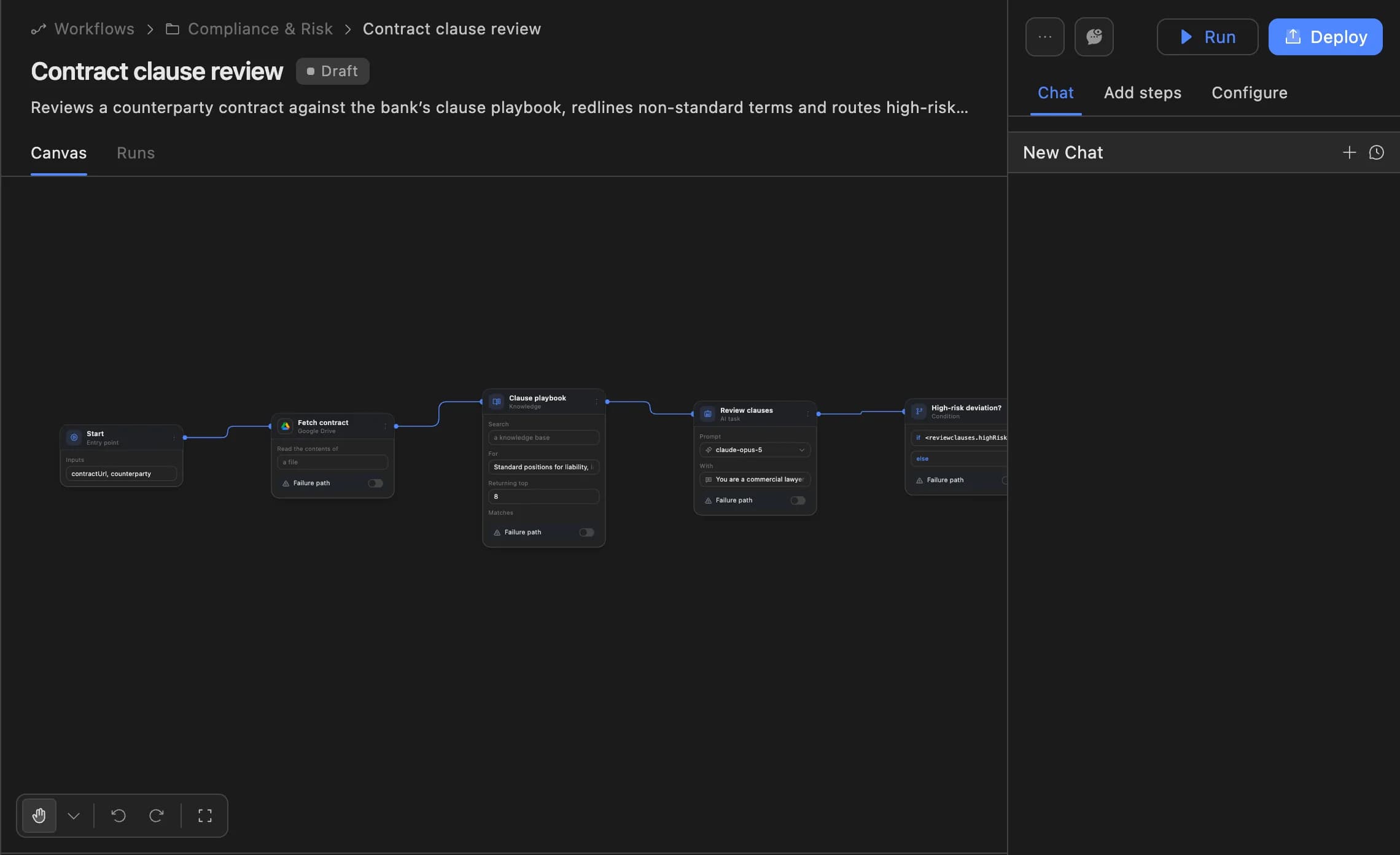
The Agent Serve workflow builder showing a contract clause review agent: start, fetch contract, clause playbook, review clauses and a high-risk deviation branch, with Run and Deploy buttons.
02 · Chat

Troubleshoot a failure in Chat

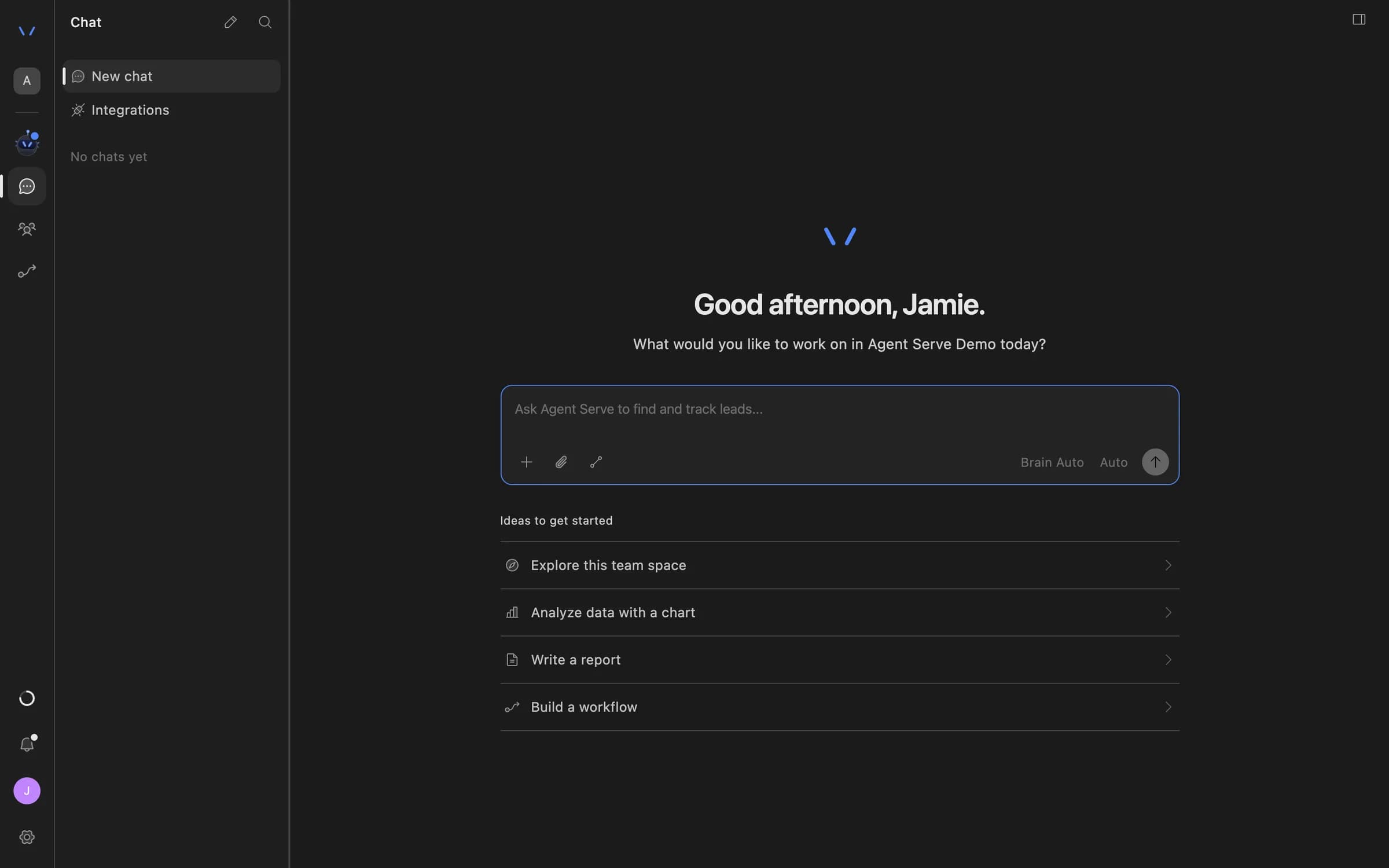
A failed run in Agent Serve offers Troubleshoot in Chat, which opens Chat with the run already in view.

  • Chat reads the trace and the error
  • Run details also open inside Chat
  • Retry the run once the fix is in
Agent Serve Chat home with a message composer and suggestions to explore the team space, analyze data with a chart, write a report, or build a workflow.
03 · Tables

The same trace behind every enriched row

When an Agent Serve table fills a column with an agent, the run behind each cell opens in the same details panel.

  • Check how a value was produced
  • See the model and tokens per row
  • Spot the rows that failed
04 · Destinations

Send logs to your own systems

Agent Serve log destinations copy workflow logs to your storage or monitoring tools every hour or every day.

  • Amazon S3, Google Cloud Storage, Azure Blob Storage
  • Datadog, Google BigQuery, Snowflake
  • Any HTTPS webhook

The list

Find any run in seconds.

Search with filters

Agent Serve Run history understands level:, cost:, date:, duration:, trigger:, workflow: and folder: in one search box.

cost:>2 date:this-week

Every trigger

Agent Serve logs runs started manually, by API, schedule, Chat, webhook, MCP, another workflow or an integration such as Slack.

All triggers → Schedule

Live while it runs

The Agent Serve run list refreshes every ten seconds, and an open run keeps updating until it finishes.

Running → Completed

A dashboard view

Switch Agent Serve Run history to Dashboard for runs, errors and latency over time, and success rates per workflow.

Runs · Errors · Latency

Cost per run

Agent Serve shows each run’s cost with its input and output tokens, and sorts the list by cost.

Sort by Cost

Export to CSV

People with edit access export the filtered Agent Serve run list, traces included, as a CSV file.

logs-2026-10-07.csv

Examples

How banks and insurers use the trace.

Three ways financial services teams read Agent Serve Run history.

Model risk

Evidence for a model review

A model risk reviewer filters Agent Serve Run history to one agent and a month, then exports the runs with their traces as CSV.

  1. Filter by workflow
  2. Set date range
  3. Export CSV
  4. Attach to review
Operations

A failed overnight batch

An operations lead searches level:error for last night’s scheduled runs, opens the failing block and retries once the source is back.

  1. level:error
  2. Open trace
  3. Find the block
  4. Retry
Claims

Why an agent said that

A claims manager opens the run behind a disputed summary in Agent Serve and reads which documents and prompts produced it.

  1. Copy Run ID
  2. Open the run
  3. Read each step
  4. Answer the question

Examples show what teams can build in Agent Serve. They describe patterns, not named customer deployments.

By the numbers

Agent Serve Run history in figures.

Built-in trigger types, plus each integration trigger

9

Built-in trigger types, plus each integration trigger

Refresh interval of the live run list

10 s

Refresh interval of the live run list

Log destinations

7

Log destinations

Log retention you can set, or forever

1 day–5 years

Log retention you can set, or forever

Figures are read from the product code.

Before and after

Answers from the record, not from memory.

Answers from the record, not from memory.
WorkBeforeWith Agent Serve
When an agent gets it wrongBeforeRerun it by hand and hope the problem shows up again.With Agent ServeOpen the Agent Serve run and read the exact input and output of each block.
What the workflow looked likeBeforeNobody is sure which version ran last Tuesday.With Agent ServeThe run’s snapshot shows the workflow as it was at that moment.
Spend on modelsBeforeOne monthly bill with no link to the work behind it.With Agent ServeCost and tokens on every run, sortable and exportable.
Audit requestsBeforeScreenshots pasted into a document.With Agent ServeA CSV export, or logs sent to your own storage every day.

Under the hood

Agent Serve Run history, in detail.

Agent Serve Run history, in detail.
What is loggedWorkflow runs and Agent Serve agent jobs, with trigger, status, duration and cost.
Trace detailPer block: input, output, provider, model, tokens, cache use, retries, tool calls and errors.
FiltersTime range, status, workflow, folder and trigger, plus field:value search.
ViewsRun history list and a Dashboard of runs, errors and latency.
Run actionsRetry, Cancel Run, Copy Run ID, Copy Link, Open Snapshot.
ExportCSV, for people with edit access.
RetentionLog retention from 1 day to 5 years, or forever, per organization or team space.
APIList runs and read a run’s detail with an Agent Serve API key.

Governance

Keep the record as long as you need.

Agent Serve lets admins decide how long run logs live, what personal data they hold and where copies go.

Security and governance
  • Your retention period

    Agent Serve log retention runs from one day to five years, or forever, set per organization or team space.

  • Redact before it is stored

    Agent Serve can redact personal data at the Logs stage, so names and account numbers never land in a trace.

  • Run logs

    Every workflow run records each block’s inputs, outputs and errors, so a reviewer can trace how a result was reached.

  • Audit trail

    Proposals, approvals, declines and executed actions are written to the workspace audit log, which admins can export.

  • Roles and permission groups

    Admin, write and read roles per workspace, plus permission groups that limit which models, blocks and integrations a team can use.

  • GDPR ready

    Retention from one day to five years, deletion and access controls support GDPR obligations. Ready means the controls are in place, not a certification.

Works with

One trace for every place agents run.

Further reading

Traced solutions built on Agent Serve.

Questions

About Run history

What does Agent Serve record for each run?

Agent Serve records the trigger, status, duration and cost of each run, and a trace of every block with its input, output, model, tokens and any error.

Can I see the workflow as it was when it ran?

Yes. View Snapshot in Agent Serve opens a read-only copy of the workflow as it was when that run started.

Does Agent Serve email me when a run fails?

Not today. Agent Serve shows failed runs in the in-app notifications, and you can filter Run history by status. Log destinations can copy logs to your monitoring tools.

Can I read run logs from my own tools?

Yes. The Agent Serve API lists runs and returns a run’s detail with an API key, and log destinations send logs to storage or monitoring tools on a schedule.

Last updated

Enterprise access

Put AI agents to work across your team

Agent Serve is available to teams by invitation. Tell us what you want to build and we will set up your workspace with you.