Agent Serve · Files

Every document, one shared library.

Upload contracts, KYC packs and board papers to the Agent Serve Library. Your team and your AI agents read, write and share the same files.

Agent Serve Files, shown in the product as the Library, is the shared file store of Agent Serve, the AI workspace where teams build, deploy, and manage AI agents. Teams upload documents, images, audio, video and zip archives up to 5 GB each, preview them in place, share them with access controls, and let agents read and write them from Chat and workflows.

How it works

From upload to finished deliverable.

Agent Serve Files keeps the source material and the work agents produce side by side, under the same access rules.

  1. 1

    Bring files in

    Drag files into the Library, or upload a zip and unzip it in place. Each file can be up to 5 GB.

  2. 2

    Keep them findable

    Folders, pins, search and filters by type, size and who added a file keep the right inputs close.

  3. 3

    Put agents on them

    Ask Chat about a file, or let a workflow read it with the File block and write its result back.

  4. 4

    Share the result

    Share a file with a password, an email allowlist, SSO or a public link, and unshare it when the work is done.

In depth

Where your files meet your agents.

Agent Serve connects the Library to Chat, workflows and Relays, so a document is used where it lives instead of being copied around.

01 · Chat

Ask about any file

Choose Ask about this file, or attach files and whole folders to a message. Agent Serve Chat answers from the document itself.

  • Attach a folder as context in one step
  • Ask about your whole library from the Library header
  • Chat can save new files, such as a .docx brief or a .pdf report
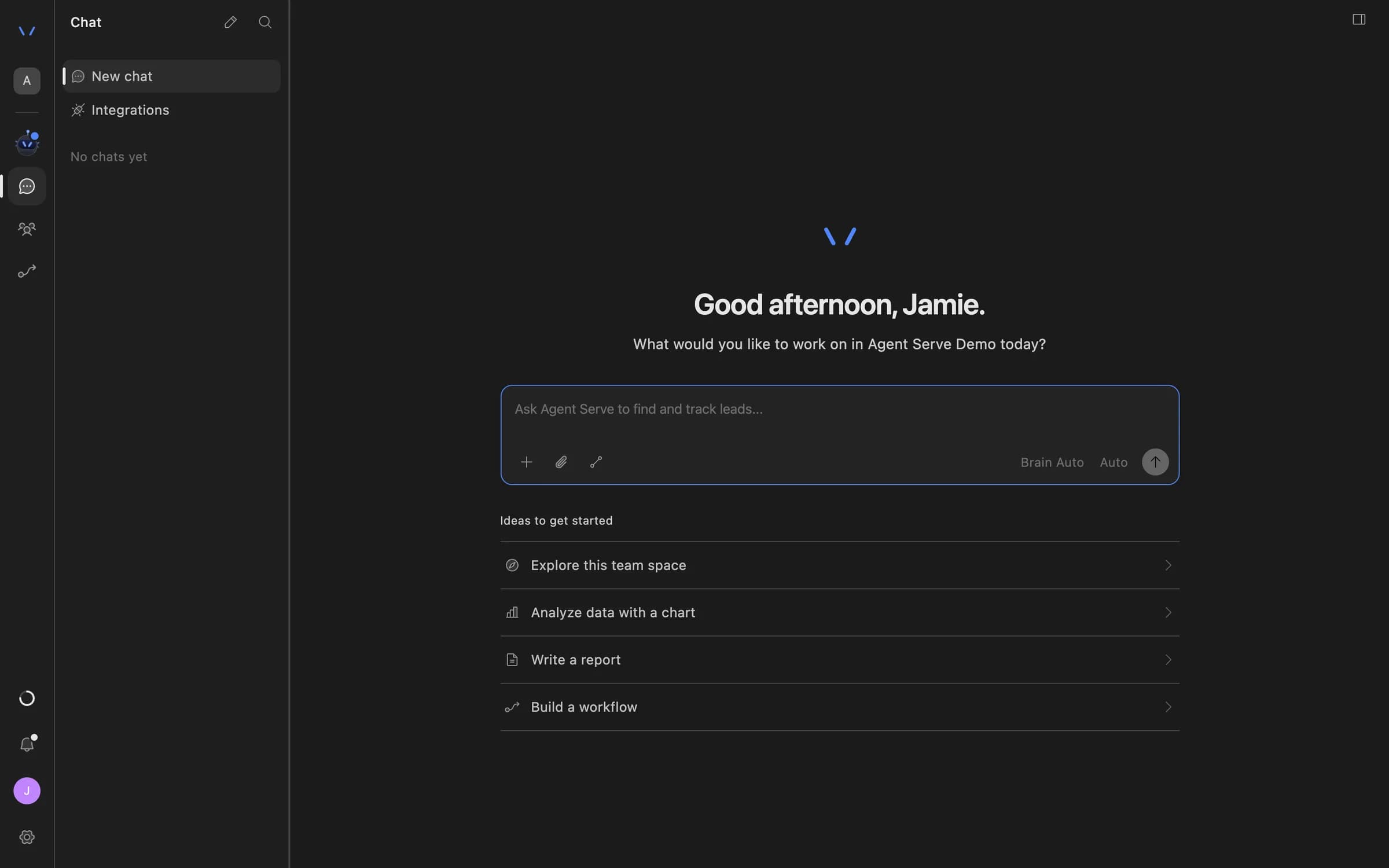
Agent Serve Chat home with a message composer and suggestions to explore the team space, analyze data with a chart, write a report, or build a workflow.
02 · Workflows

Read and write from a workflow

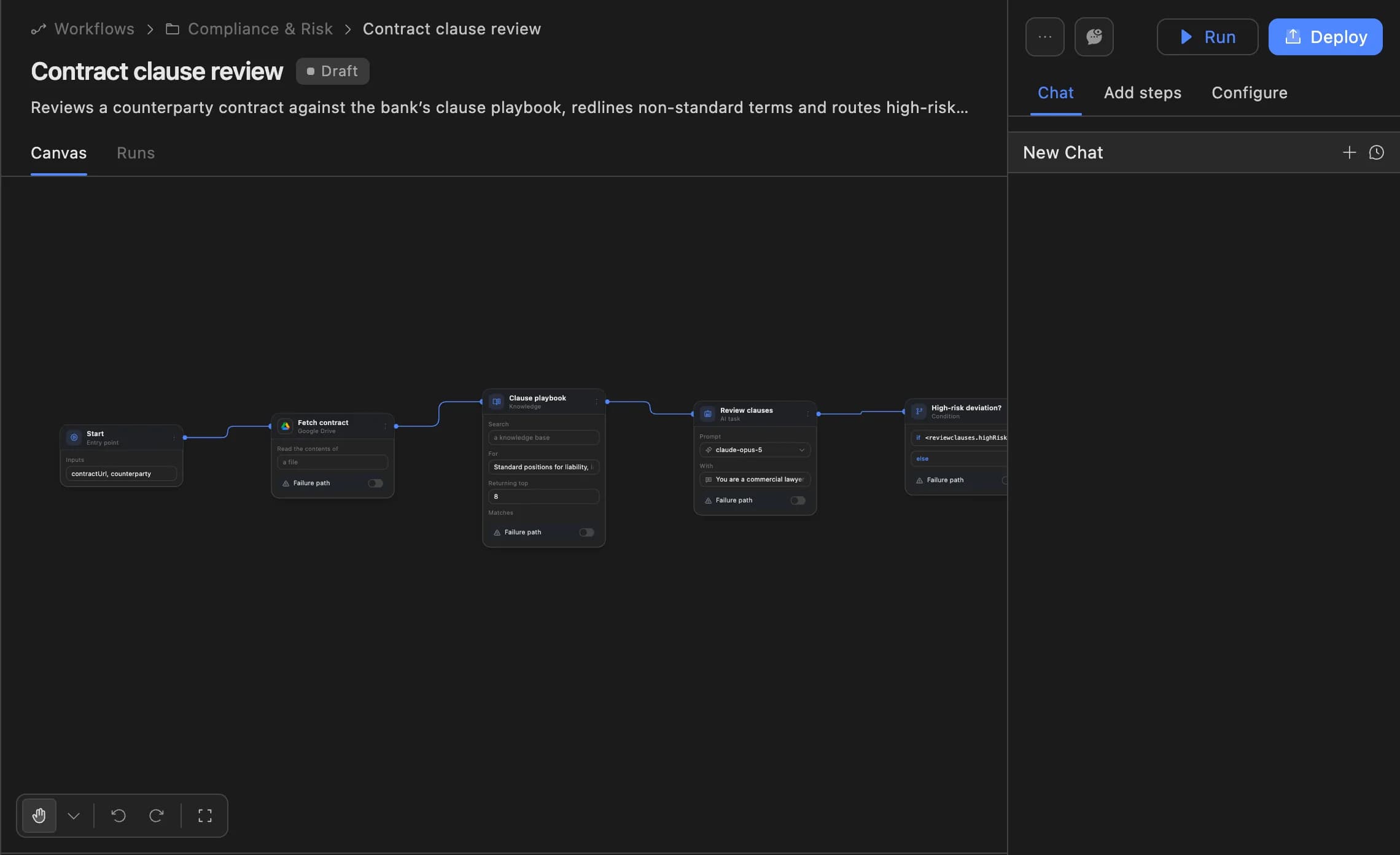
The Agent Serve File block gives a workflow 16 operations, from Read and Search to Write, Append and Apply Edit.

  • Search a file by exact match or regular expression
  • Edit between two anchors without rewriting the file
  • Fetch a file from a URL into the Library
The Agent Serve workflow builder showing a contract clause review agent: start, fetch contract, clause playbook, review clauses and a high-risk deviation branch, with Run and Deploy buttons.
03 · Relays

Saved after a person approves

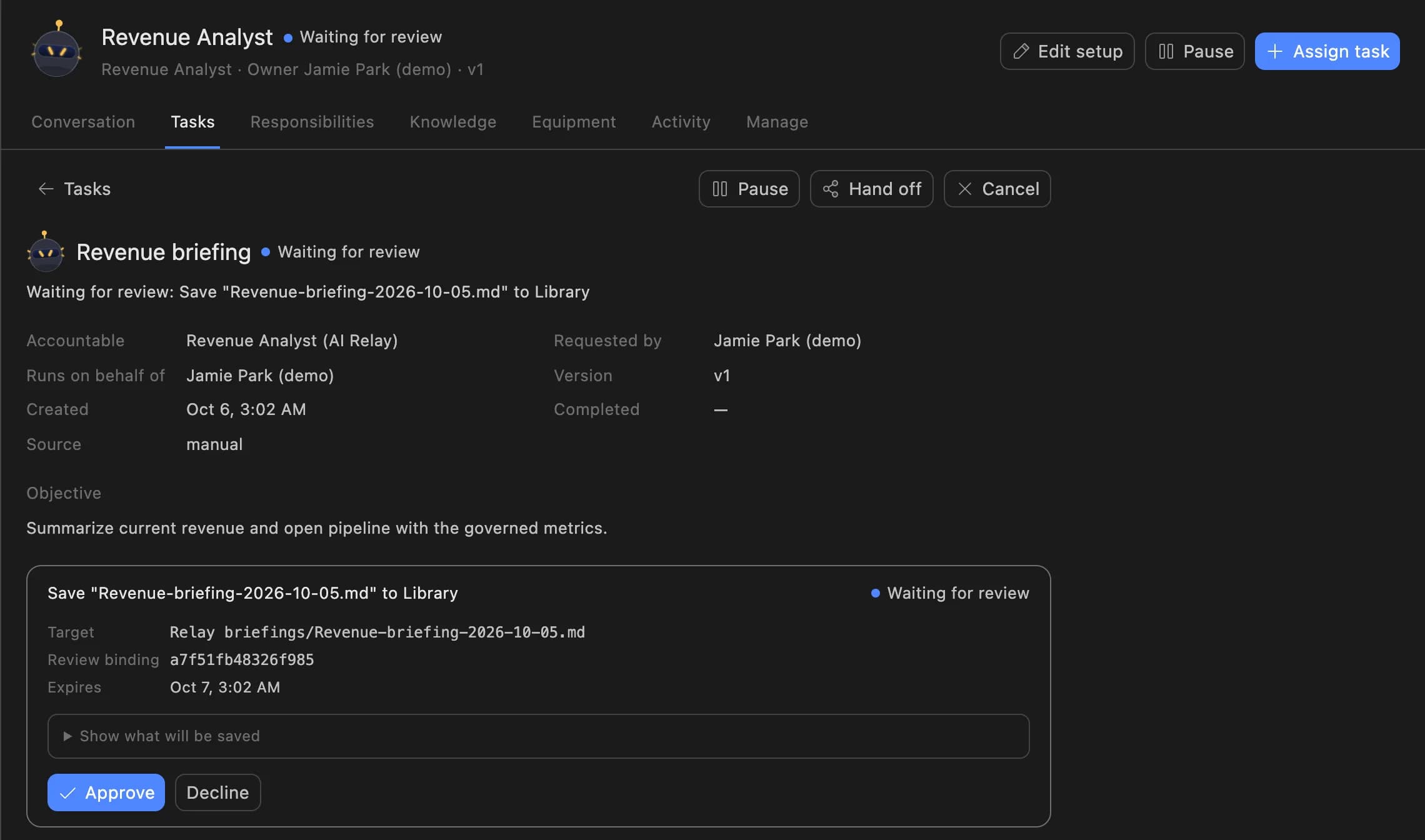
A Relay set to Assist asks before it saves a file to the Library. The reviewer sees the exact file, then approves or declines.

  • Observe: never saves to the Library
  • Assist: saves only after an approval
  • Operate: saves directly, recorded in the Relay’s activity
A Relay task in Agent Serve waiting for review: the Revenue Analyst asks to save a revenue briefing to the Library, with Approve and Decline buttons.
04 · Sharing

Share on your terms

The Share file dialog in Agent Serve sets access to a public link, a password, an email or domain allowlist, or SSO.

  • Copy, update or unshare a link at any time
  • See every shared file under Shared links
  • Admins choose which access modes are allowed

The Library

Built around the files teams actually keep.

Views that match the work

The Agent Serve Library opens on All items, with views for Uploaded by you, Pinned and Shared links beside your folders.

All items · Pinned · Shared links

Search, filter and sort

Search the Library, filter by type, size or who added a file, and sort by name, size or date.

Documents · Large (> 10 MB) · Added by priya@

Preview without downloading

PDFs open with page and zoom controls. Word, PowerPoint and Excel files, images, audio and video preview in place.

PDF · DOCX · PPTX · XLSX · MP4

Write together in Markdown

New file creates a Markdown document that several people edit at once. An agent’s edits stream into the same page.

untitled.md → Renewal brief.md

Zip in, folders out

Upload a zip archive and unzip it in place, then move files and folders in bulk.

Board pack.zip → 14 files

Restore what was deleted

Deleted files wait in Recently deleted in Agent Serve settings, where an editor can restore them.

Settings → Recently deleted → Files

Examples

What banks and insurers keep in Files.

Three patterns financial services teams build on Agent Serve Files, each one a document job that used to live in inboxes.

Retail banking · Onboarding

KYC pack review

An Agent Serve workflow reads each uploaded KYC pack, checks it against the onboarding policy kept in the Library, and writes a review note beside it.

  1. KYC pack uploaded
  2. File block reads it
  3. Policy check
  4. Review note saved
Credit risk

Credit committee pack

An analyst attaches the borrower folder in Agent Serve Chat and asks for the committee pack, saved as a Word document in the same folder.

  1. Folder attached
  2. Statements summarized
  3. Pack saved as .docx
  4. Shared by email
Insurance · Claims

Claims evidence folder

Handlers drop photos, invoices and adjuster notes into one folder, and an Agent Serve agent lists what is still missing before the claim moves on.

  1. Evidence uploaded
  2. Agent checks the list
  3. Gaps flagged
  4. Handler decides

Examples show what teams can build in Agent Serve. They describe patterns, not named customer deployments.

Before and after

Less copying, more checked work.

Less copying, more checked work.
WorkBeforeWith Agent Serve
Source documentsBeforeSpread across inboxes, shared drives and desktops.With Agent ServeOne Agent Serve Library per team space, searchable by name, type, size and who added it.
Giving an AI the documentBeforePaste sections into a prompt and hope nothing important was left out.With Agent ServeAttach the file or the folder, and the agent reads the document itself.
What the agent producesBeforeCopied out of a chat window into a new document by hand.With Agent ServeSaved to the Library as a file the team can open, edit and share.
Sharing outside the teamBeforeEmail attachments that live forever in someone’s inbox.With Agent ServeLinks protected by a password, an email allowlist or SSO, which you can unshare.

Under the hood

Agent Serve Files, in detail.

Agent Serve Files, in detail.
Upload sizeUp to 5 GB per file, uploaded straight to storage.
File typesDocuments (PDF, Word, Excel, PowerPoint, CSV, Markdown, HTML, JSON, YAML), code and text files, images, audio, video and zip archives.
Preview in placePDF, DOCX, PPTX, XLSX, Markdown, HTML, CSV, SVG, Mermaid diagrams, charts, images, audio and video.
Create and editMarkdown and text files, edited live by several people. Chat can also save .docx, .pdf, .pptx, .md, .html and .csv files.
SharingPublic link, password, email or domain allowlist, and SSO where single sign-on is set up.
Workflow accessThe File block, with 16 operations including List, Read, Search, Fetch, Write, Append, Apply Edit and Move File.
DownloadThe original file. Markdown downloads bundle their embedded images into a zip.
Deleted filesRestored from Recently deleted in settings.

Governance

Decide who sees each file.

Agent Serve applies the team space’s roles to the Library, and access policies let admins narrow how files leave it.

Security and governance
  • Sharing you allow

    Agent Serve access policies choose which share modes are allowed, can turn off public file sharing, and can hide the Files tab for a group.

  • Edit rights

    Uploading, renaming, moving and deleting files in Agent Serve needs write access to the team space.

  • Roles and permission groups

    Admin, write and read roles per workspace, plus permission groups that limit which models, blocks and integrations a team can use.

  • SSO and SCIM

    Sign in through your identity provider with SAML 2.0 or OIDC, and provision people with SCIM.

  • Self-hosting

    Run Agent Serve in your own cloud or data centre, next to the systems it reads.

  • GDPR ready

    Retention from one day to five years, deletion and access controls support GDPR obligations. Ready means the controls are in place, not a certification.

Works with

The Library is one store for every module.

Further reading

Solutions built on Agent Serve Files.

Questions

About Files

What is Agent Serve Files?

Agent Serve Files, shown in the product as the Library, is the shared file store of a team space. It holds documents, images, audio, video and zip archives that people and AI agents both use.

How large can a file be?

Each file in Agent Serve Files can be up to 5 GB. Uploads go straight to storage, and the Library shows their progress as they land.

Can agents create files?

Yes. Agent Serve workflows write files with the File block, and Chat can save Markdown, Word, PDF, PowerPoint, HTML and CSV files to the Library.

Can I edit Word or PDF files in Agent Serve?

Not today. Word, PowerPoint, Excel and PDF files open as previews in Agent Serve. Markdown and text files can be edited in place, with several people editing at once.

Who can open a shared file?

The person sharing a file in Agent Serve chooses the access: a public link, a password, an email or domain allowlist, or SSO where single sign-on is set up. Unsharing turns the link off.

Last updated

Enterprise access

Put AI agents to work across your team

Agent Serve is available to teams by invitation. Tell us what you want to build and we will set up your workspace with you.